 ByteDance / IMAGE MODELS / YOURART
Updated
Seedream 5.5
A product shot, a poster, a whole new visual direction. Create with ByteDance’s Seedream 5.5, start from words or reference images, then keep working on the canvas.
Pay with credits · no subscription required
- Resolution tiers
- 1K / 1.5K / 2K
- Reference images
- Up to 10
- 1K · Estimated
- 1.400 credits / image
What is Seedream 5.5?
Seedream 5.5 is an image generation and editing model from ByteDance. On YourArt, it offers 1K, 1.5K and 2K output, accepts up to 10 reference images, and supports PNG, JPEG and transparent PNG backgrounds. Use it in your browser to create one image at a time, then arrange and refine your work on the canvas. Payment uses credits, with no subscription required.
Seedream 5.5 examples, with the whole prompt
Six starting points for your next brief: product photography, typography, interiors, illustration, portraits and food. Open the full prompt to see exactly what was requested, or bring it into the generator and make it your own.
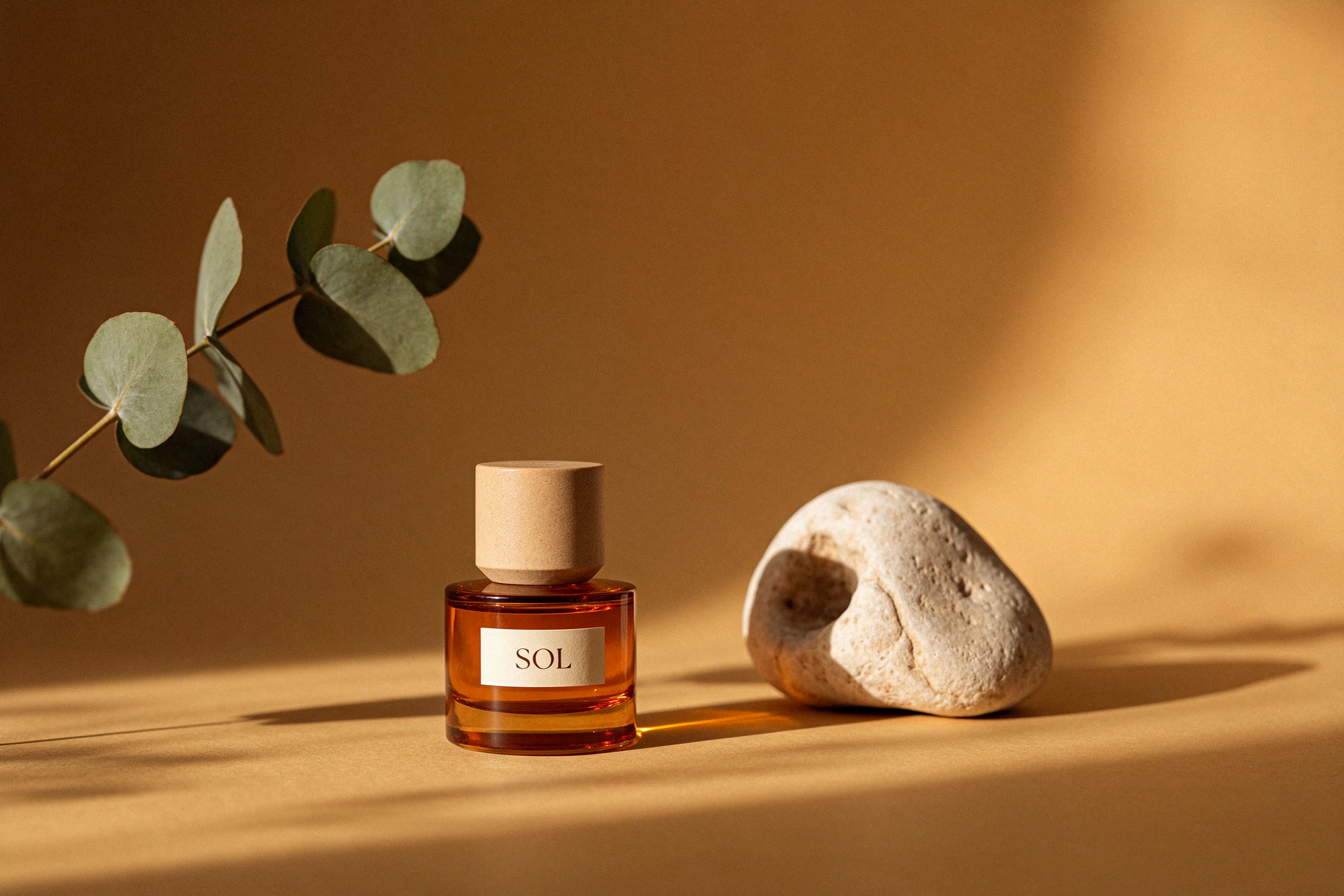
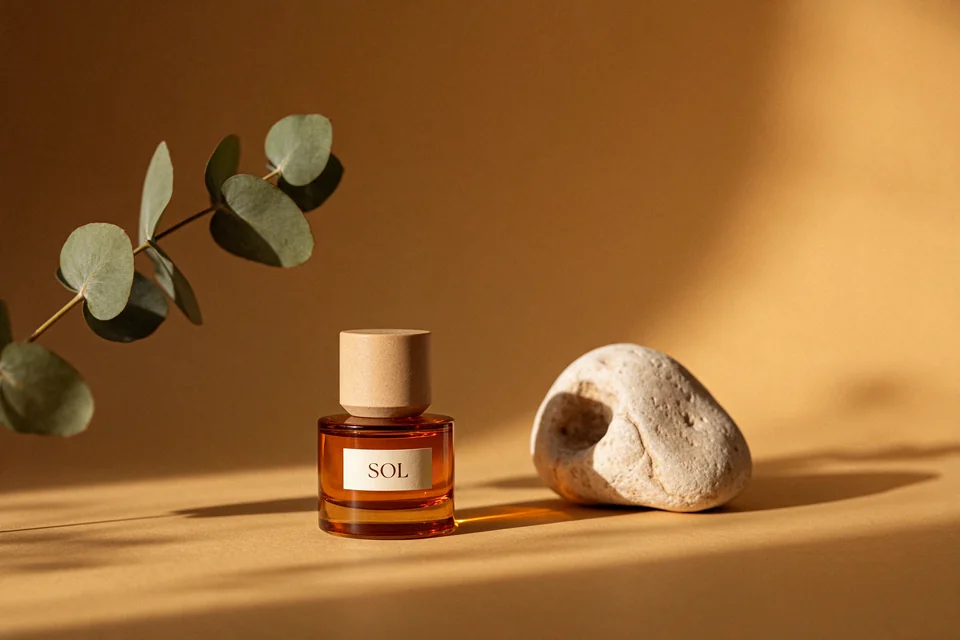
Amber & afternoon light
01Original model output · 3:2 · 1.5K · PNG · 1872 × 1248
Full prompt
A refined studio still life: a translucent amber perfume bottle with a small cream label reading "SOL", a sculptural pale stone, and one curved eucalyptus branch. Warm ochre seamless background, long afternoon shadows, restrained editorial product photography, realistic glass refraction, generous negative space, no other text.
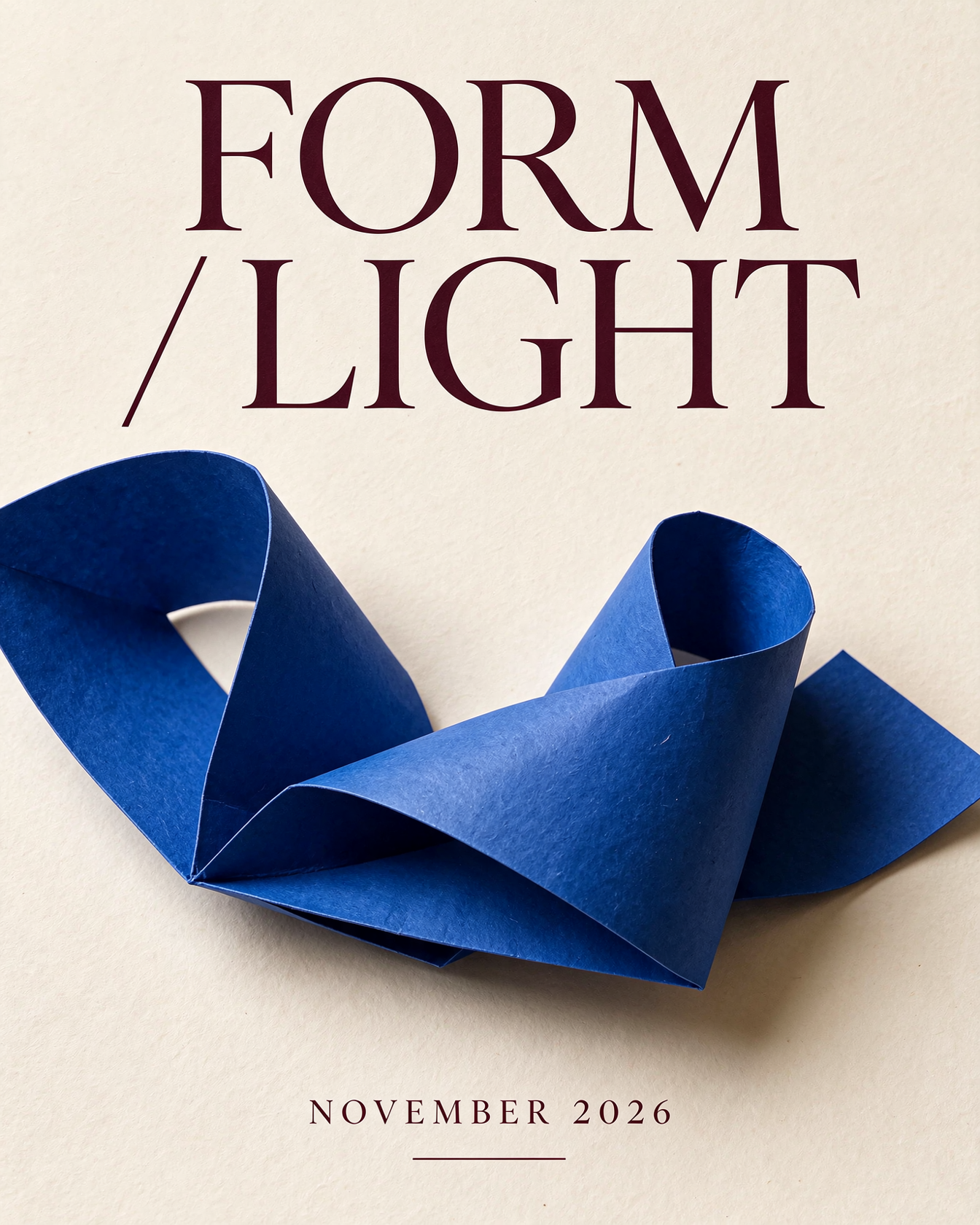
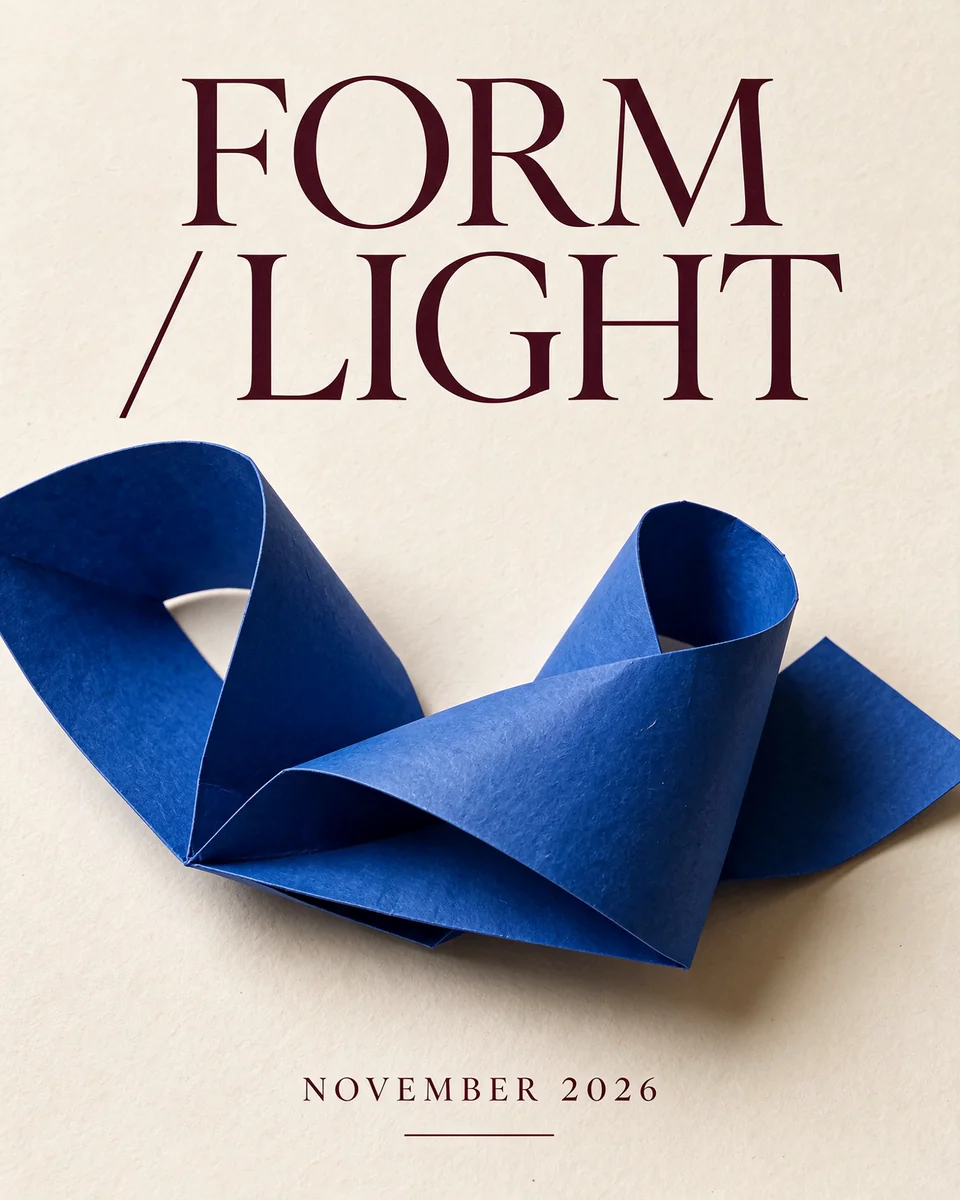
Typography with room to breathe
02Original model output · 4:5 · 1.5K · PNG · 1344 × 1680
Full prompt
An editorial exhibition poster on warm ivory paper. Large elegant dark burgundy typography must read exactly "FORM / LIGHT" on two lines. A single sculptural folded cobalt-blue paper ribbon sits below. Small text at the bottom reads "NOVEMBER 2026". Strong grid, generous margins, tactile print texture, clean typography, no extra words.
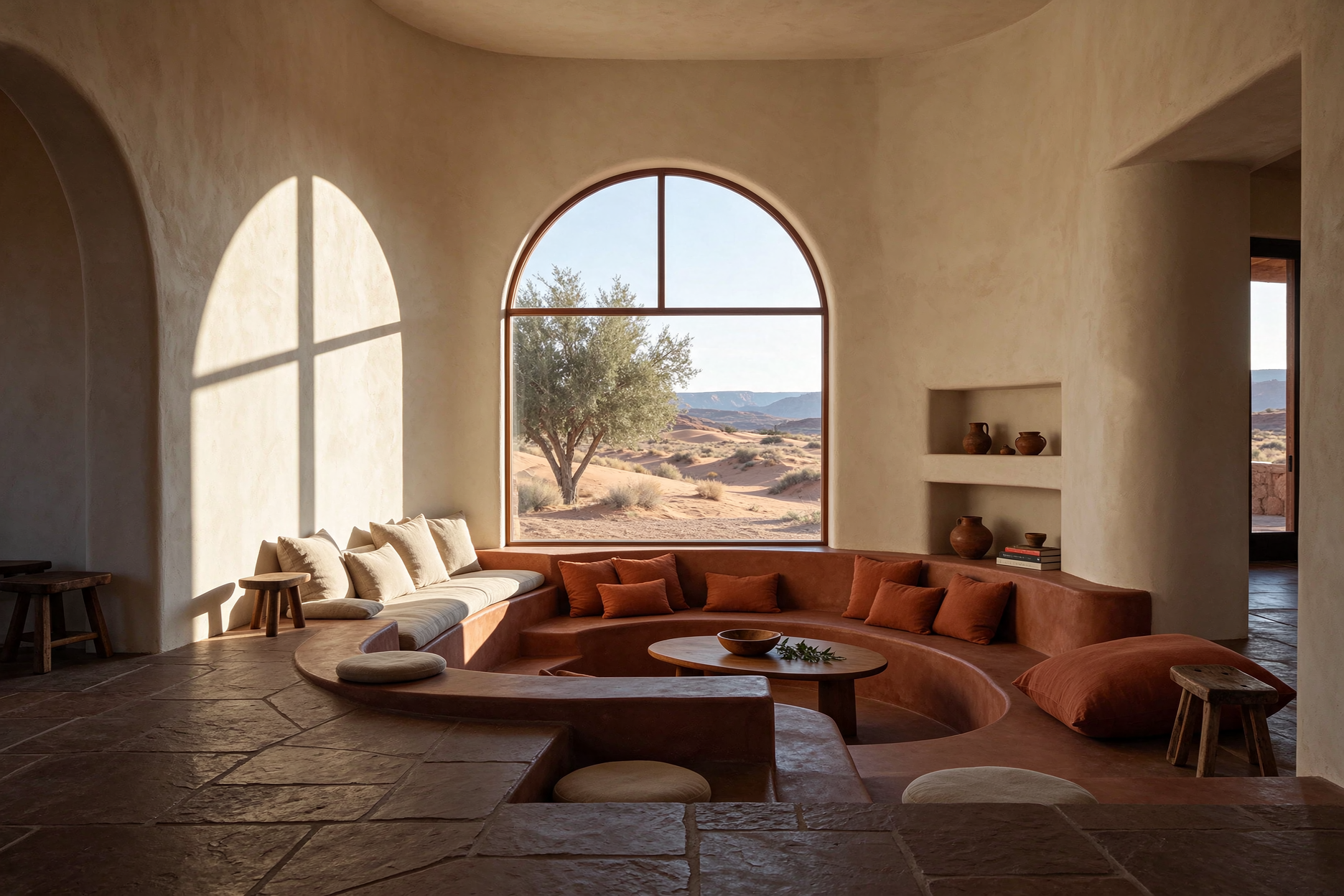
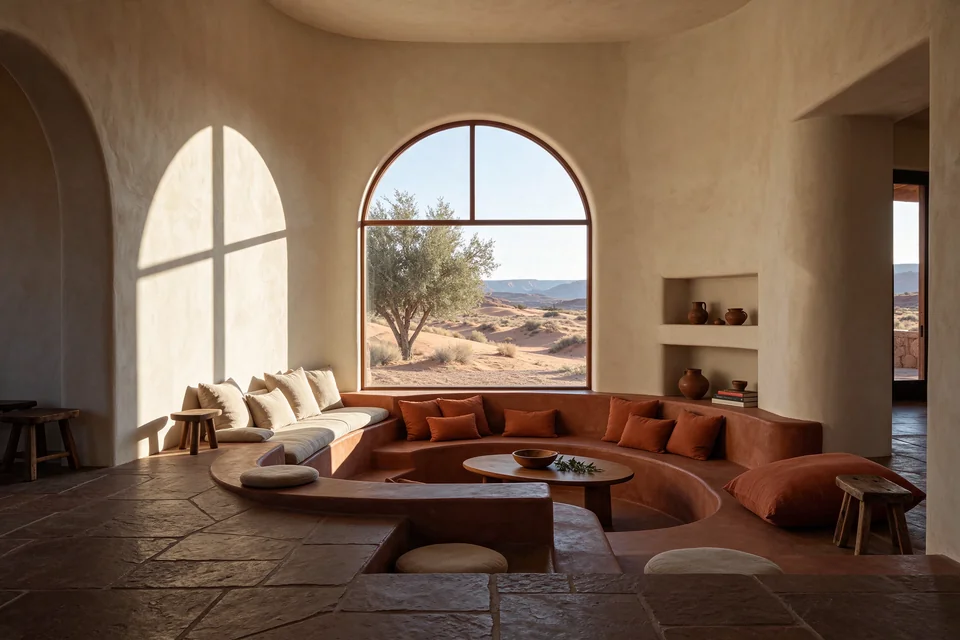
A quieter kind of interior
03Original model output · 3:2 · 1.5K · PNG · 1872 × 1248
Full prompt
Architectural photograph of a sunken conversation lounge in a desert home, curved cream plaster walls, terracotta linen seating, one olive tree behind a tall arched window, desert dunes outside. Morning sunlight creates precise geometric shadows. Natural material detail, quiet composition, editorial architecture, no people, no text.
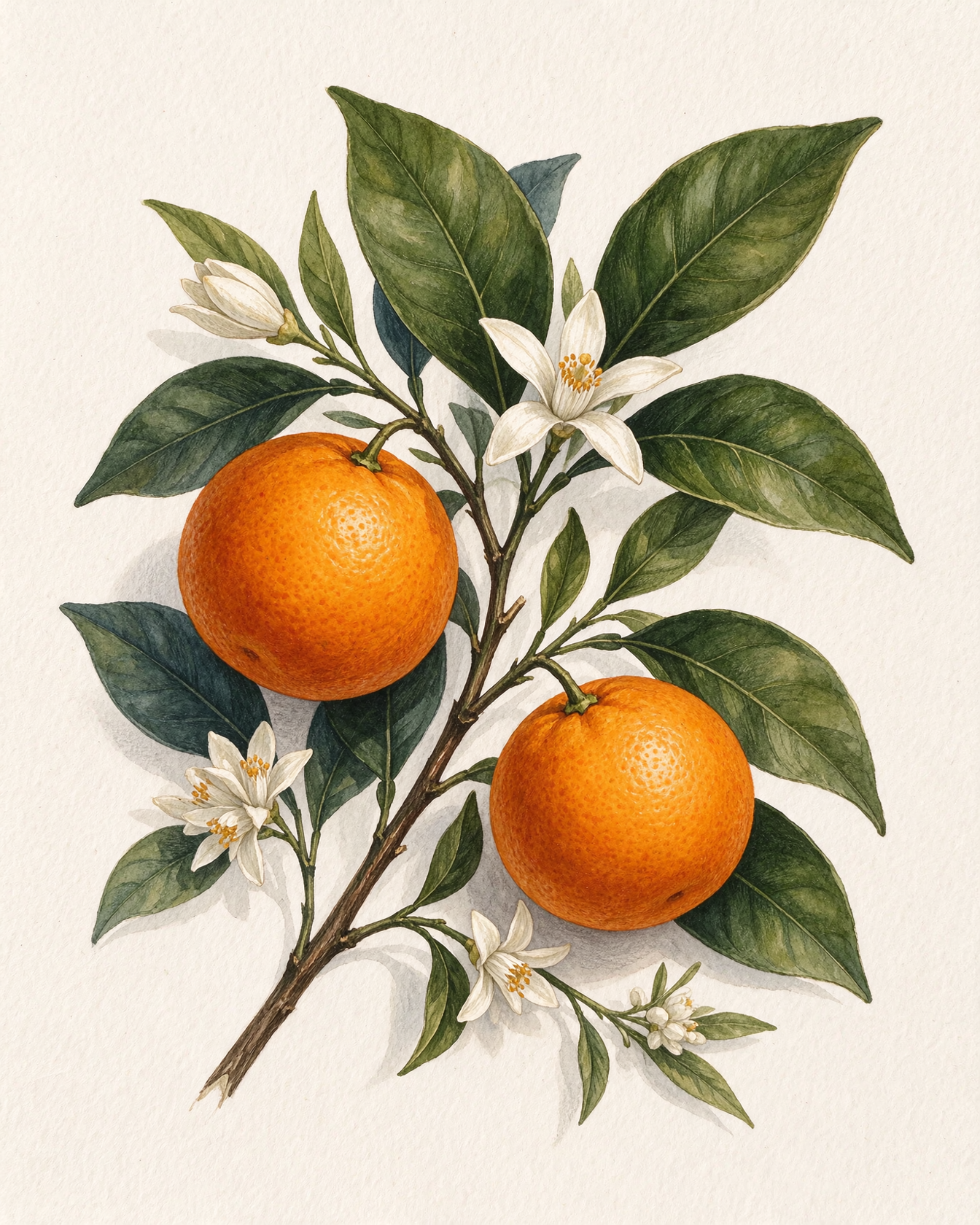
A study in orange
04Original model output · 4:5 · 1.5K · PNG · 1344 × 1680
Full prompt
A botanical illustration of an orange branch with two ripe oranges, white blossoms and deep green leaves, painted in delicate gouache and colored pencil on warm white paper. Fine organic texture, restrained vintage herbarium style, isolated centered composition with ample margins, no lettering, no labels.
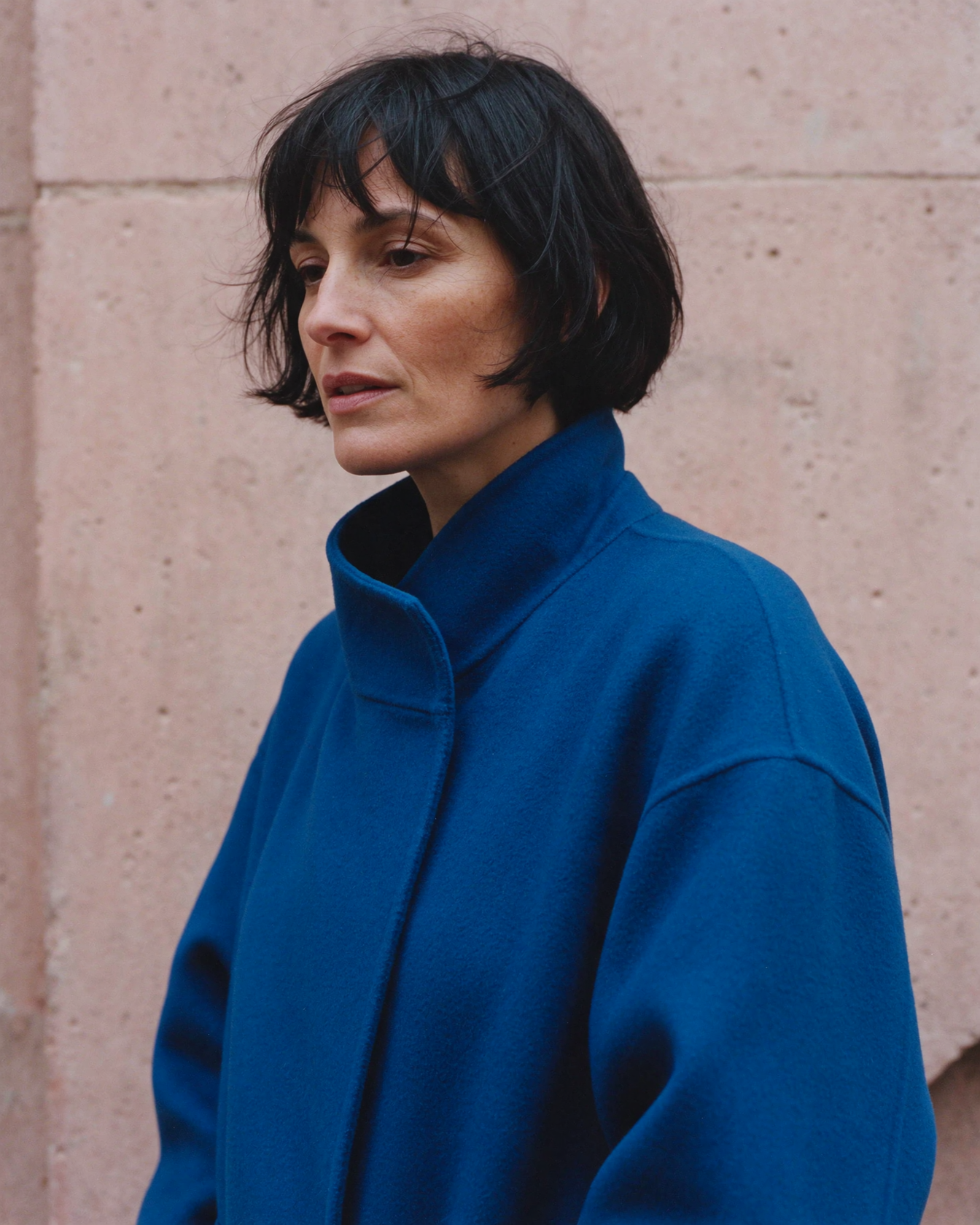
Cobalt in soft light
05Original model output · 4:5 · 1.5K · PNG · 1344 × 1680
Full prompt
An editorial fashion portrait of an adult woman with a short black bob wearing a sculptural cobalt blue coat, standing against a pale pink concrete wall. Overcast daylight, subtle wind, candid sideways glance, natural skin texture, medium-format film aesthetic, chest-up framing, no text, no jewelry logos.
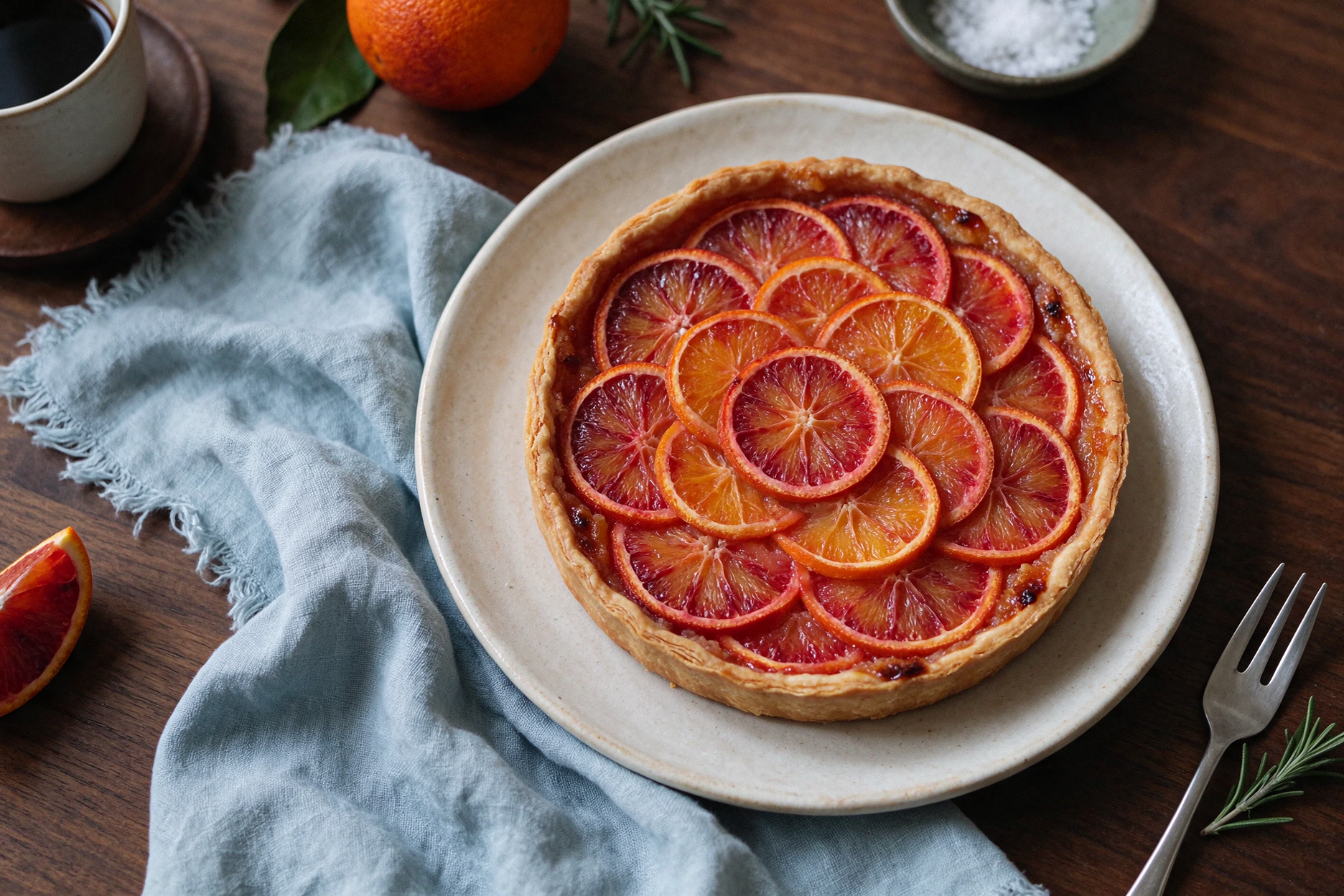
Details worth tasting
06Original model output · 3:2 · 1.5K · PNG · 1872 × 1248
Full prompt
Editorial food photograph of a sliced blood orange tart on a handmade ivory ceramic plate, small silver fork, rumpled pale blue linen, overhead composition on a dark walnut table. Soft window light, visible pastry layers and translucent fruit, warm natural colors, refined food magazine aesthetic, no text.
From an idea to an image
- 01
Can Seedream 5.5 put text inside an image?
Yes. You can ask for short headings, labels and poster copy as part of the image. Put the exact words in quotation marks and describe their placement. Check the result at full size: spelling, small type and dense layouts still need review before publication.
- 02
Can Seedream 5.5 start from reference images?
Yes. Add up to 10 images and explain what each contributes: the product from image 1, the colors from image 2, or the setting from image 3. Name the details that must stay unchanged. References guide the result; exact identity and pixel-level preservation are not guaranteed.
- 03
Can Seedream 5.5 make a transparent PNG?
Yes. Choose a transparent background and PNG output for an isolated object or illustration. Inspect fine edges and translucent materials before placing the image in a design. For a finished scene, choose an opaque background; automatic mode lets the model choose.
Compare models
Seedream 5.5 vs Seedream 4.5
Compare documented controls before choosing a version. The 5.5 column describes YourArt; the 4.5 column describes its published generation API. A newer version does not mean a higher maximum resolution or more references.
| Specification | Seedream 5.5 on YourArt | Seedream 4.5 documented API |
|---|---|---|
| Resolution tiers | 1K / 1.5K / 2K | 2K / 4K |
| Reference images | Up to 10 | Up to 14; references + outputs ≤ 15 |
| Text in images | Prompt for titles and labels; check the result | Official examples include typography and small text |
| Transparent output | Transparent PNG available | No background control in the referenced API |
| Average generation time | No controlled timing benchmark published here | No controlled timing benchmark published here |
| Price per image | Estimated 2.500 credits / image2K · ≈ $0.063 | Not offered on YourArt; no comparable site price |
How to use Seedream 5.5 online
- 1
Describe the finished image
Start with the subject, composition, light and intended use. Include exact wording only when the design needs it. You can also copy one of the prompts above.
- 2
Choose size and references
Select 1K, 1.5K or 2K, choose an aspect ratio, and add optional references. A 1.5K image is a useful middle tier for exploring a visual direction. Check the credit estimate before continuing.
- 3
Generate, then refine
Sign in and continue to a new canvas project. Your prompt, model settings and uploaded references travel with you. Review the image, keep useful variations together, and use canvas tools for the next edit.
How much does Seedream 5.5 cost?
Pay per image with credits. The estimates below use one square image without references. 1K and 1.5K share the same output price tier; 2K costs more. Each reference image adds to the request cost.
1K
Estimated
1.400
credits / image≈ $0.035
1.5K
Estimated
1.400
credits / image≈ $0.035
2K
Estimated
2.500
credits / image≈ $0.063
1:1 · PNG · 1 image · no reference images
Prompt used for these estimates
A ceramic cup on a wooden table, soft daylight, no text.
USD equivalent uses 40 credits per $1 for international accounts; domestic credits use ¥0.10 per credit and a reference rate of ¥6.75 per $1. Recharge package rates may differ.
These are YourArt estimates for the selected billing market. The generator recalculates when you change settings or add references. Confirm the current estimate there before generating; other canvas tools have their own charges.
Pricing ↗Seedream 5.5 questions, answered
Try this model ↗Is Seedream 5.5 free on YourArt?
Generation uses paid credits. You do not need a recurring subscription. Any account-specific promotional credits are shown in your balance; this page does not promise free generations.
Who made Seedream 5.5?
Seedream 5.5 is developed by ByteDance. YourArt provides a browser workspace where you can use the model and continue working with the result on a canvas.
Is Seedream 5.5 better than Seedream 4.5?
It depends on the task. Seedream 5.5 on YourArt offers a 1.5K middle tier and transparent PNG output. The documented 4.5 API supports 4K and up to 14 references. This page does not claim an overall quality or speed winner.
Can Seedream 5.5 generate 4K images?
The Seedream 5.5 integration on YourArt supports 1K, 1.5K and 2K. It does not offer native 4K generation. Choose a model with 4K support, such as MiniMax Image H3, when that output tier is required.
Can Seedream 5.5 render English and Chinese text?
You can include English or Chinese text in the image prompt. Keep copy short, quote the exact words and specify placement. Inspect spelling and legibility in the finished image before using it.
How much is each Seedream 5.5 image?
The pricing section shows current estimates in credits and a USD equivalent for 1K, 1.5K and 2K. The total depends on the resolution and reference images, and your account’s billing market. Use the generator’s current estimate for your own request.
Can I edit an image with Seedream 5.5?
Yes. Upload reference images and describe the changes you want. Up to 10 references can guide one output. Be explicit about the subject, layout and details to preserve.
Is there a Seedream 5.5 API?
Yes, Seedream 5.5 is available through model API services. This page is YourArt’s browser generator. For automated workflows in YourArt, consult the documentation for the available API and CLI features.
How is Seedream 5.5 different from Nano Banana?
Nano Banana is a separate image-model family. Compare the exact versions you intend to use: reference limits, resolution choices and pricing vary. Start with the same prompt and references, then judge the details that matter to your project.
Give your next idea a first draft.
Start with a sentence. Add references when you have them. Keep the creative work together on your canvas.
Try this model ↗