New model
GPT Image 2.6
Two tiers, Flare and Sunburst, now with animated GIF output. Describe what you want or start from a reference image, and your result opens on the YourArt canvas ready to edit. Pay with credits, no subscription needed.
- PNG · JPEG · WebP · GIF
- Up to 4K
- Up to 16 reference images
- Transparent background
Gallery
Made with GPT Image 2.6
Real outputs at medium quality, prompts included. Open a prompt, change the subject or the mood, and make it your own.
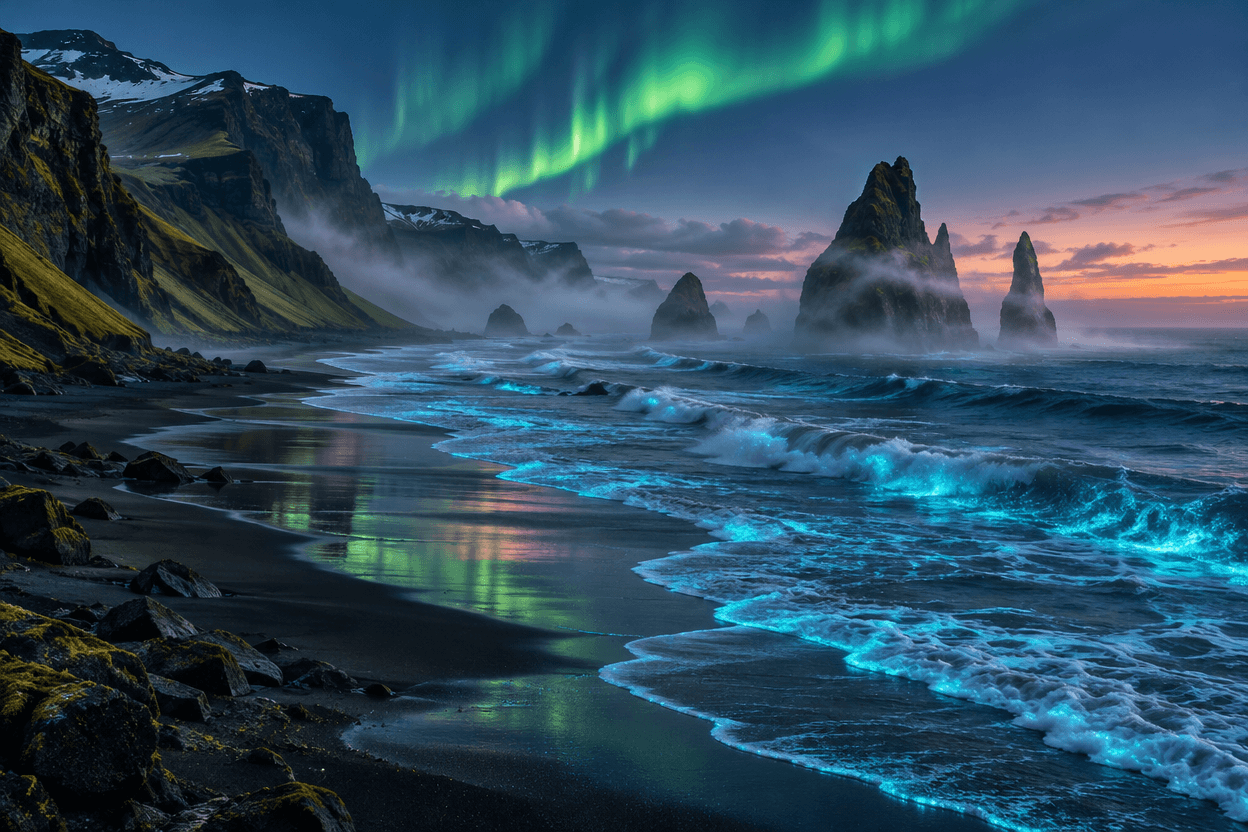
1248 × 832 · medium quality
Prompt
An awe-inspiring cinematic aerial landscape photograph of the rugged Icelandic coast at blue hour, luminous turquoise bioluminescent surf tracing a black volcanic sand beach, towering sea stacks half veiled in sea mist, faint emerald aurora reflected in wet sand, a delicate warm glow on the horizon, rich natural textures, elegant restrained color grading, realistic editorial travel photography, no people, no text, no watermark, no border. Landscape composition, 3:2 aspect ratio.
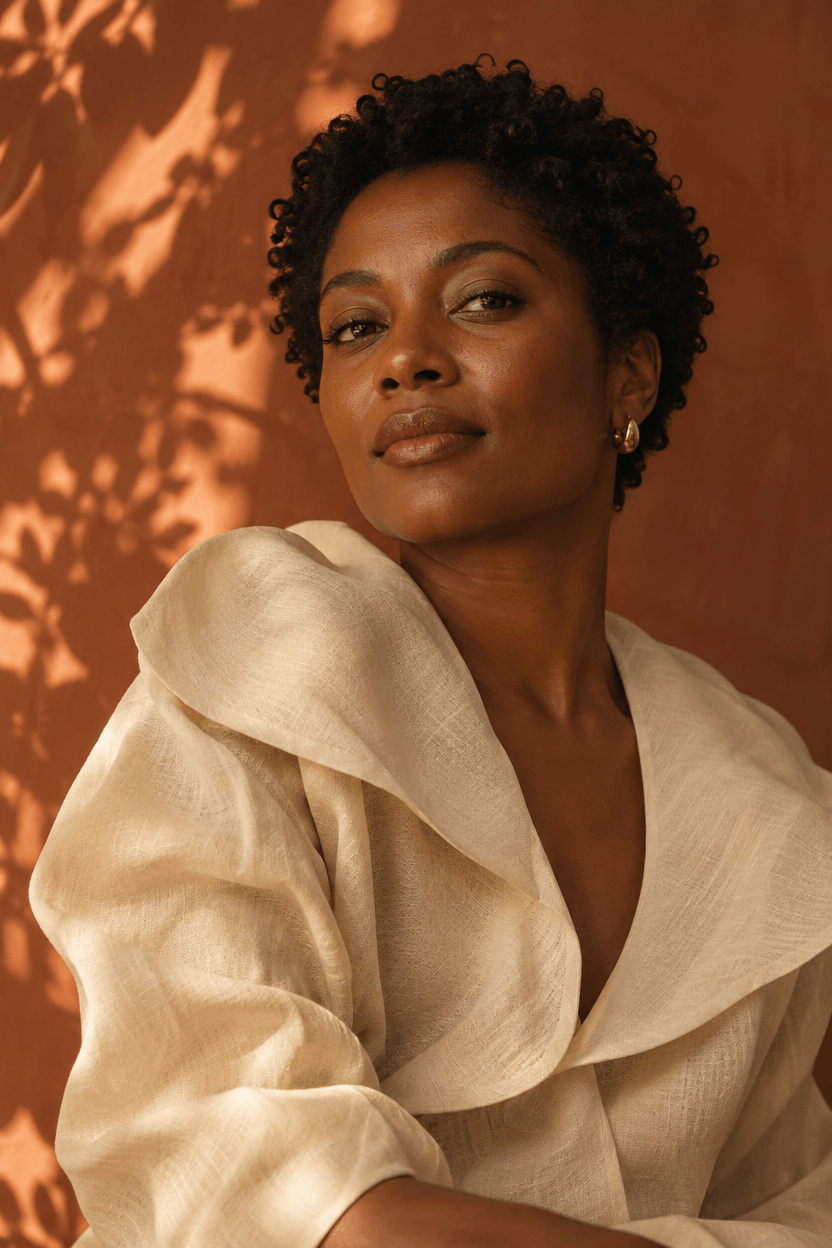
832 × 1248 · medium quality
Prompt
An exquisite editorial portrait photograph of an adult Black woman aged 30 with short natural curls, wearing a sculptural cream linen blouse and a single small gold earring, warm afternoon sunlight through a window casting soft leaf shadows onto a terracotta studio wall, confident serene gaze slightly off camera, authentic detailed skin texture, harmonious copper and cream palette, cinematic intimate framing, tasteful high fashion magazine art direction, 85mm lens look, no text, no watermark, no border. Portrait composition, 2:3 aspect ratio.
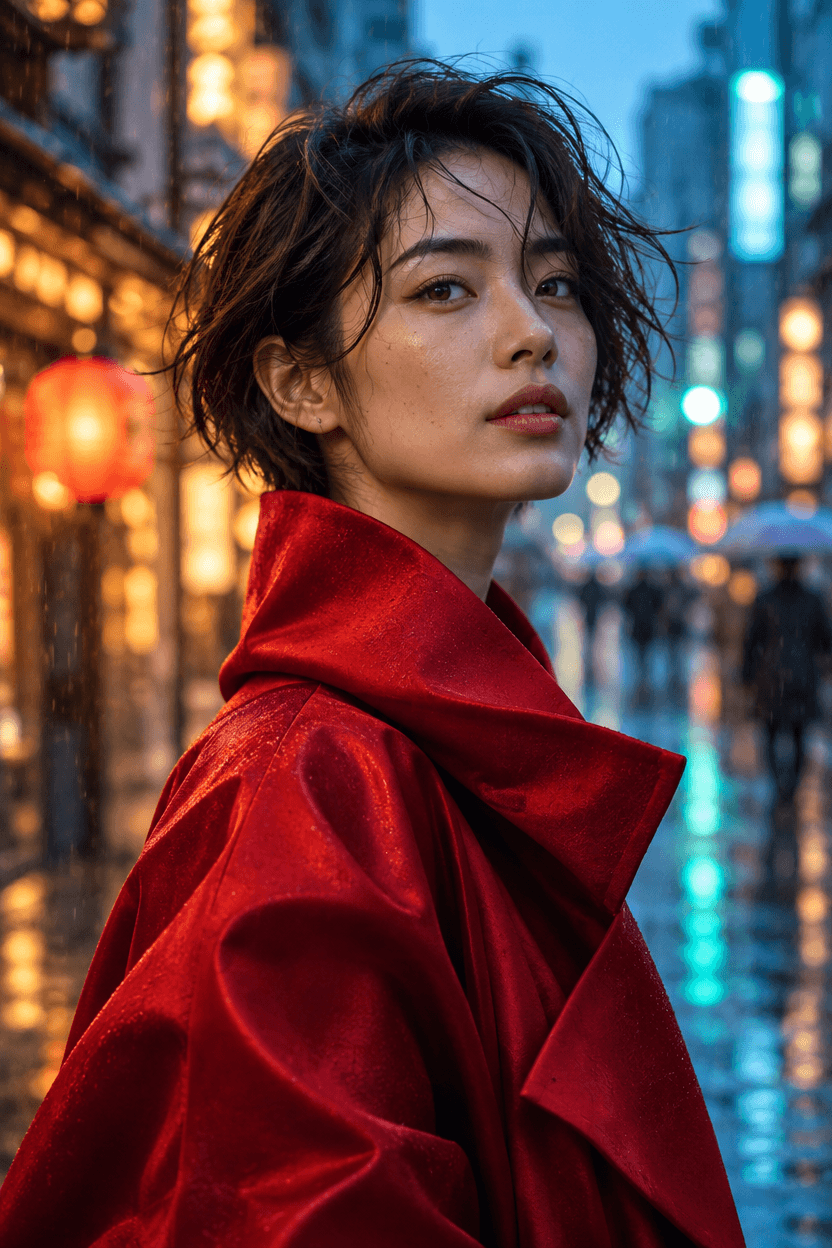
832 × 1248 · medium quality
Prompt
A cinematic editorial portrait photograph of an adult East Asian woman aged 28, short windswept dark hair, expressive eyes and natural skin texture, wearing a sculptural crimson silk coat, standing on a rain-soaked Tokyo street at blue hour, warm shop lights and teal reflections melting into creamy bokeh behind her, subtle raindrops in the air, intimate confident expression, realistic hands out of frame, elegant fashion magazine art direction, 85mm lens look, striking yet believable color, no text, no watermark, no border. Portrait composition, 2:3 aspect ratio.
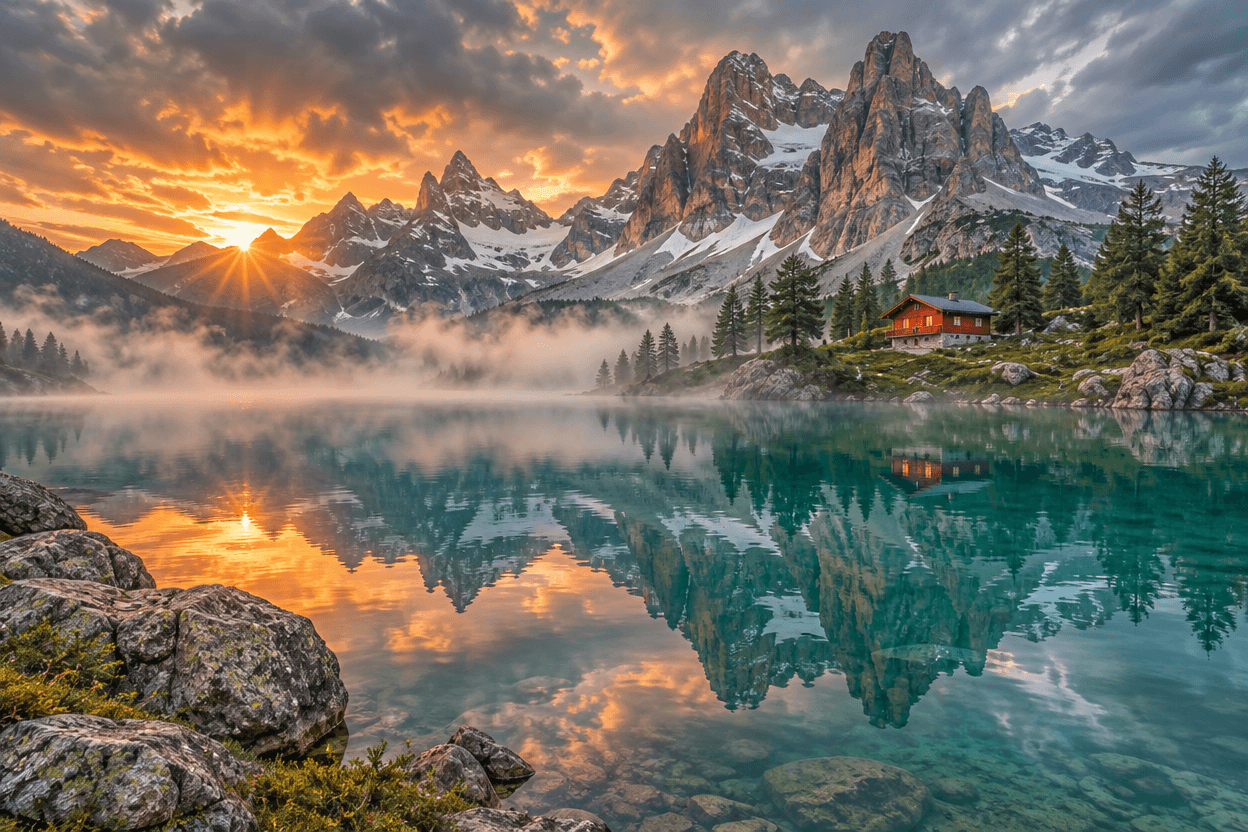
1248 × 832 · medium quality
Prompt
An extraordinary cinematic landscape photograph of a turquoise glacial lake beneath jagged snow-capped mountains in the Dolomites, glowing apricot sunrise breaking through storm clouds, one small red alpine cabin on the far shore, mist floating above still water, vivid but natural teal and amber colors, delicate mountain reflections, dramatic scale, refined editorial travel photography, realistic atmospheric depth, rich fine detail, no text, no watermark, no border. Landscape composition, 3:2 aspect ratio.
What’s new
Still-image workflows, with GIF output too
Explore what you can create on YourArt. Open the image settings to see the available options.
- 01
Animated GIFs
Bring a still idea to life. Choose GIF as the output format, set the frame count and how long each frame shows, and get a short looping animation from a single prompt. The settings panel validates supported size combinations; inspect the delivered output before using it.
- 02
Edit from a reference
Upload JPG, PNG or WebP images and tell the model what to keep and what to change. Swap a background, restyle an outfit or relight a product shot without starting from scratch.
- 03
Transparent backgrounds
Export PNG or WebP with a transparent background. Useful for logos, stickers and product assets. Inspect the alpha channel and edges before placing an output in your final layout.
- 04
Flare or Sunburst
Two tiers with the same controls and a different take on your prompt. Run one brief through both, put the results side by side on the canvas, and keep the one you like.
Three capabilities, three real requests
First outputs from GPT Image 2.6 Flare at medium quality. Inspect the files and reuse the prompt and settings; a new run will produce a different result.
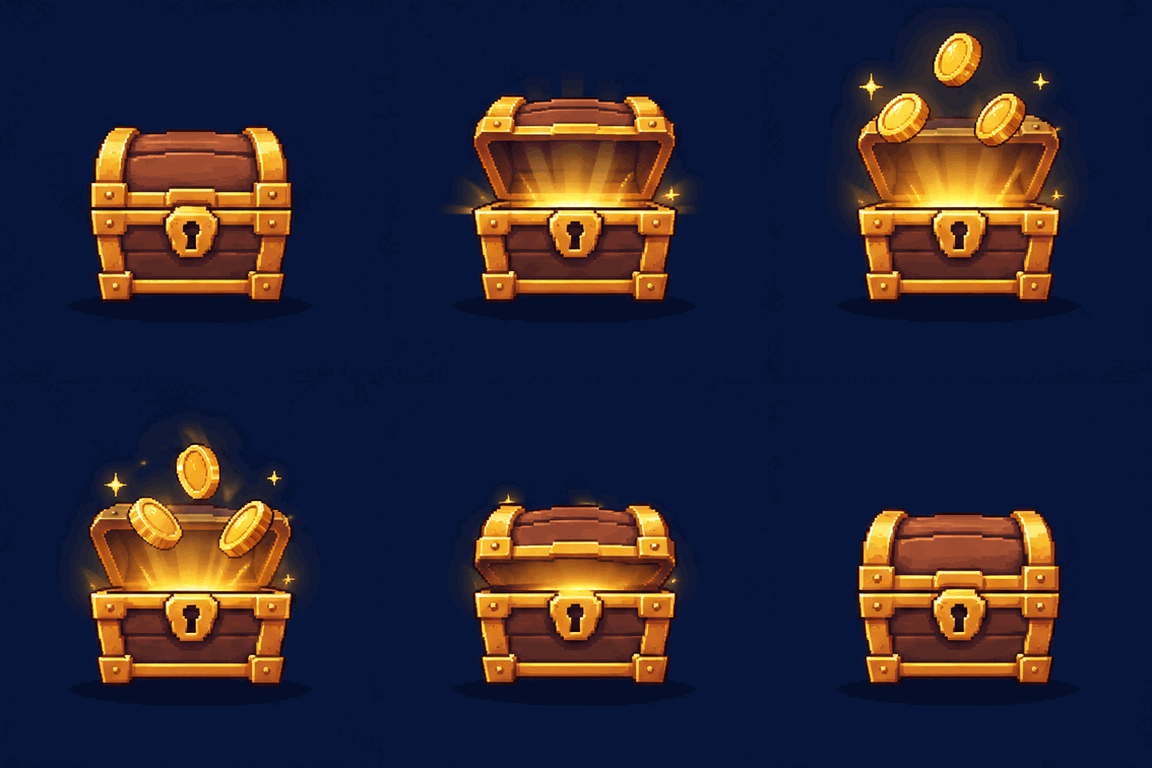
A game reward reveal
A 16-frame, 4.8-second game reward cycle: the chest opens, three coins rise with sparkles, then return as the lid closes. Suitable as a reward-popup concept. Small shape and lighting changes remain between frames; inspect it at its intended display size.
GPT Image 2.6 Flare
384 × 384 · medium quality · 1 output · GIF · 16 frames × 300 ms
Full prompt
A looping game reward animation for a fantasy mobile game reward popup. One polished small wooden treasure chest with chunky gold trim sits centered on a dark navy background, in a premium colorful pixel-art style with crisp shapes. Across the sequence the chest lid slowly opens, warm golden light glows from inside, three gold coins rise and gently spin above it with a few small star sparkles, the coins fall back inside, and the lid closes to the starting pose. Keep the chest anchored in place, fixed camera, consistent proportions, generous clear space around the silhouette. A readable reward reveal and reset cycle, suitable for a game interface. No text, no letters, no numbers, no logo, no watermark, no UI frame.
Reference
Result
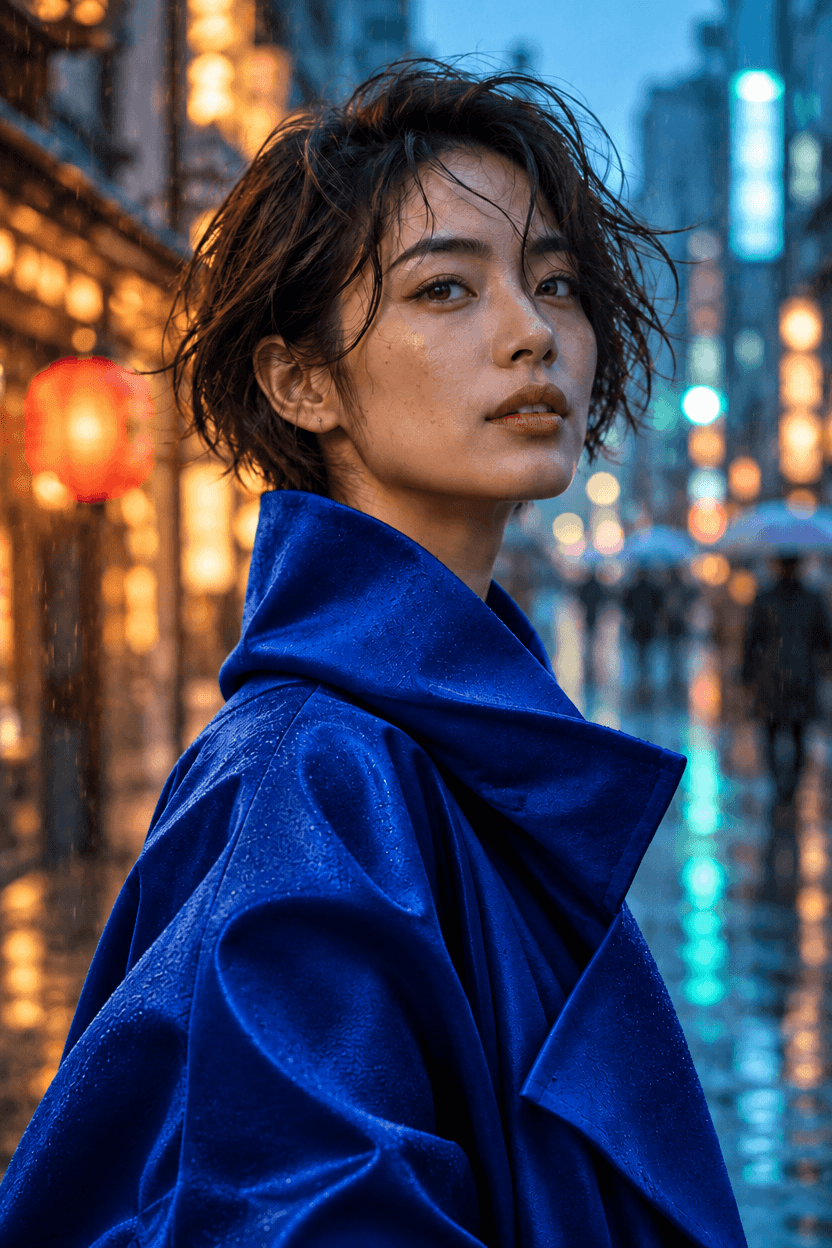
Change a coat from red to blue
The coat changes to cobalt blue and the face, pose and street composition remain recognizable. Fabric highlights and fine facial and background texture also change. This unmasked edit is not pixel-preserving outside the coat.
GPT Image 2.6 Flare
832 × 1248 · medium quality · 1 output · PNG
Full prompt
Edit only the coat in this reference portrait: change the crimson red coat to deep cobalt blue, preserving its fabric folds and lighting. Keep the same woman, facial features, hair, pose, framing, rainy street and background lights unchanged. Do not add text or objects.
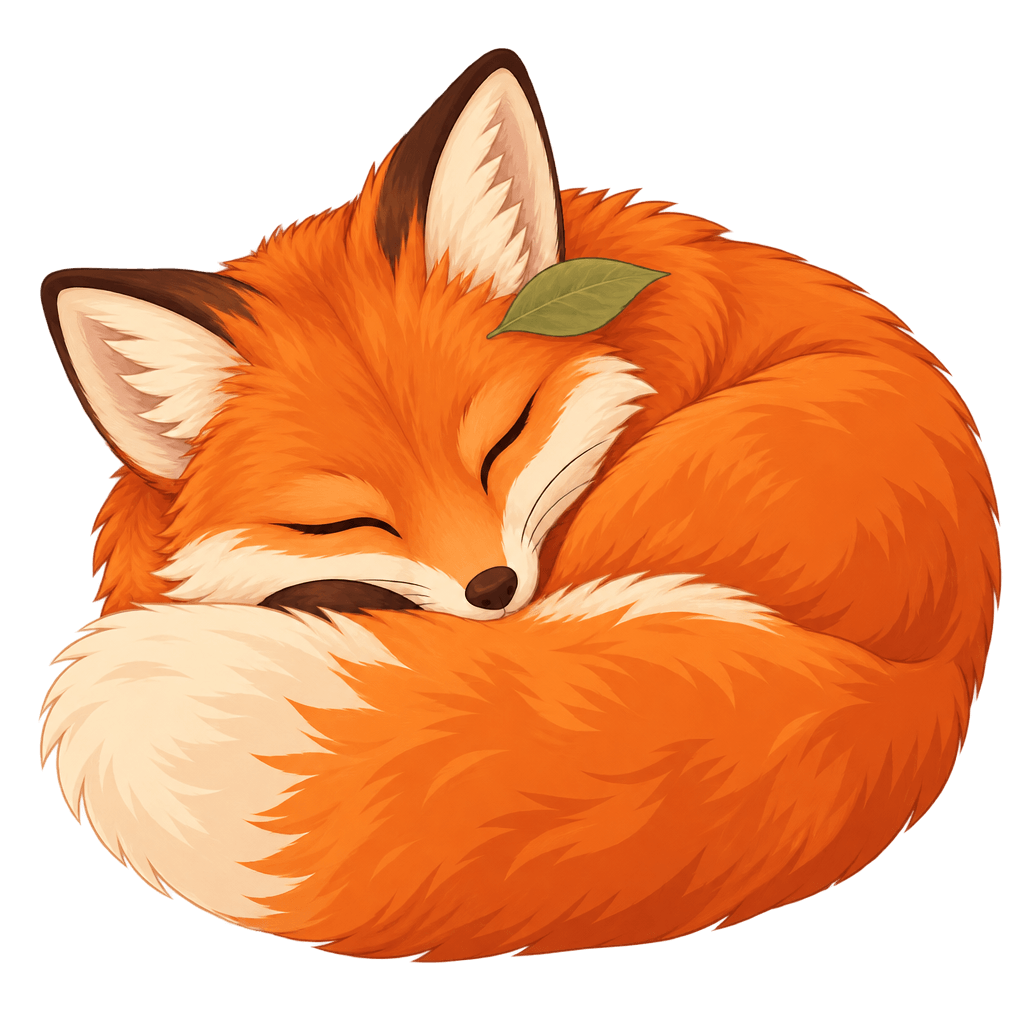
A fox sticker with real transparency
The original PNG contains real transparent and partially transparent pixels. Switch between light and dark backgrounds to inspect the edge. Fine fur and edge softness still need checking at the intended placement size; transparency does not guarantee a production-ready cutout.
GPT Image 2.6 Flare
1024 × 1024 · medium quality · 1 output · PNG
Full prompt
A single charming orange fox curled up sleeping, with a cream-tipped fluffy tail wrapped around its body and a small sage-green leaf resting beside its ear. Refined flat editorial sticker illustration, smooth clean silhouette, restrained orange and cream palette, delicate internal detail. Isolated on a fully transparent background. No backdrop, no ground shadow, no checkerboard, no text, no border, no white sticker outline.
How it works
From prompt to canvas in three steps
You can write your prompt before signing in. Uploading and generating need a free account.
- 1
Describe your image
Start with the subject, the setting and the look you want. The time of day, the camera distance and a couple of key colors go further than a long list of styles. Using a reference? Say which details should stay.
- 2
Pick a tier and settings
Choose Flare or Sunburst, then set the aspect ratio, quality and format. The estimated credits update as you go. Medium quality at 1K is a good place to start.
- 3
Keep going on the canvas
Hit Generate and YourArt opens a new project with your prompt, references and settings already in place. Arrange results, compare versions and keep editing without retyping anything.
2.6 vs 2.5
How it compares to 2.5
Both versions offer reference editing, transparency and quality controls on YourArt; 2.6 also supports GIF. The table lists the available capabilities.
| Model | GPT Image 2.5 | GPT Image 2.6 |
|---|---|---|
| GIF animationNew | Not available | Yes |
| Output formatsNew | PNG · JPEG · WebP | PNG · JPEG · WebP · GIF |
| Max resolution | Up to 4K | Up to 4K |
| Reference images | Up to 16 | Up to 16 |
| Quality levels | Low / Medium / High / Extra High / Maximum | Low / Medium / High / Extra High / Maximum |
| Transparent background | Yes | Yes |
Pricing
Pay per image, not per month
Credits depend on size, quality, references and format. Here’s what a typical request costs. You’ll always see the estimated credits before you generate.
GPT Image 2.6 Flare
Still · 1:1 · 1K
3.856credits
≈ $0.10
GPT Image 2.6 Sunburst
Still · 1:1 · 1K
3.856credits
≈ $0.10
GPT Image 2.6 Flare
GIF · 9 frames · 512 × 512
5.51credits
≈ $0.14
GPT Image 2.6 Sunburst
GIF · 9 frames · 512 × 512
5.51credits
≈ $0.14
Medium quality, one image, no references. You’re charged for actual usage. USD is based on the site’s standard credit rate; your rate depends on the credit pack you buy.
Prompt
A cinematic landscape photograph of an alpine lake at sunrise, natural colors, no text.
Frequently asked questions
Can I try GPT Image 2.6 for free?
You can browse the examples, write a prompt and explore every setting without signing up. Generating an image needs a YourArt account and enough credits. Check the pricing page for current credit packs and offers. There’s no subscription: you only spend credits on what you generate, and the estimate updates as you change settings.
What’s the difference between Flare and Sunburst?
They’re two separate models in the GPT Image 2.6 family, with the same controls on YourArt: quality levels, aspect ratios, resolutions, reference images and output formats. They interpret prompts differently, so the easiest way to choose is to run the same prompt through both at medium quality and compare. How long a request takes depends on its size and current demand, not just the tier.
Can GPT Image 2.6 make GIFs?
Yes. Pick GIF as the output format, then set the frame count and how long each frame displays. Each request produces one GIF, and only certain size and frame combinations are valid. The settings panel handles that for you. It’s made for short looping animations rather than full video, and the credit estimate updates when you change the frames.
What changed from GPT Image 2.5?
On YourArt, 2.6 adds GIF output with frame controls and also supports reference images, transparent backgrounds and still images up to 4K. The comparison page shows both versions on the same prompts. Those are real outputs, not a lab benchmark, so try your own prompt before you switch.
Can I use the images commercially?
That depends on the service terms and on your rights to anything you upload. Review the applicable YourArt terms for your project, get permission for reference material where needed, and take care with real people, brands and protected designs before you publish. Generated images don’t come with exclusivity or rights clearance.
Is there an API for GPT Image 2.6?
On YourArt you use GPT Image 2.6 right in your browser, with no API key or setup needed. Everything on this page, from GIF output to reference images and transparent backgrounds, works directly in the generator and on the canvas. If you’re interested in programmatic access, check our docs for what’s currently supported.
About these examples
Prepared and reviewed by YourArt · Last reviewed:
Browsing examples and preparing a prompt does not spend credits. Generation requires an account and sufficient credits. For commercial work, review the applicable terms and your rights to reference material; these examples do not provide rights clearance. Check the privacy policy before uploading personal or confidential images.
Your next image starts with a sentence
Write a prompt, pick Flare or Sunburst, and pick up where you left off on the canvas.