 MiniMax / IMAGE MODELS / YOURART
Updated
MiniMax Image H3
Build a scene, explore a character, or bring several references into one image. Use MiniMax Image H3 in your browser, with room to work from 1K through 4K.
Pay with credits · no subscription required
- Resolution tiers
- 1K / 2K / 4K
- Reference images
- Up to 16
- 1K · Estimated
- 2.228 credits / image
What is MiniMax Image H3?
MiniMax Image H3, also called MiniMax H3 Image, is MiniMax’s image generation and editing model. On YourArt, it supports 1K, 2K and 4K output, up to 16 reference images, and JPEG, PNG or WebP files. Describe a new image or an edit, then continue on the canvas. Generation uses credits; no subscription is required.
MiniMax Image H3 examples, with the whole prompt
Six original 2K images: a landscape, a Chinese poster, a character, a product, a street scene and a material study. Open an image to inspect the original PNG, or use its full prompt as a starting point for your own creation.
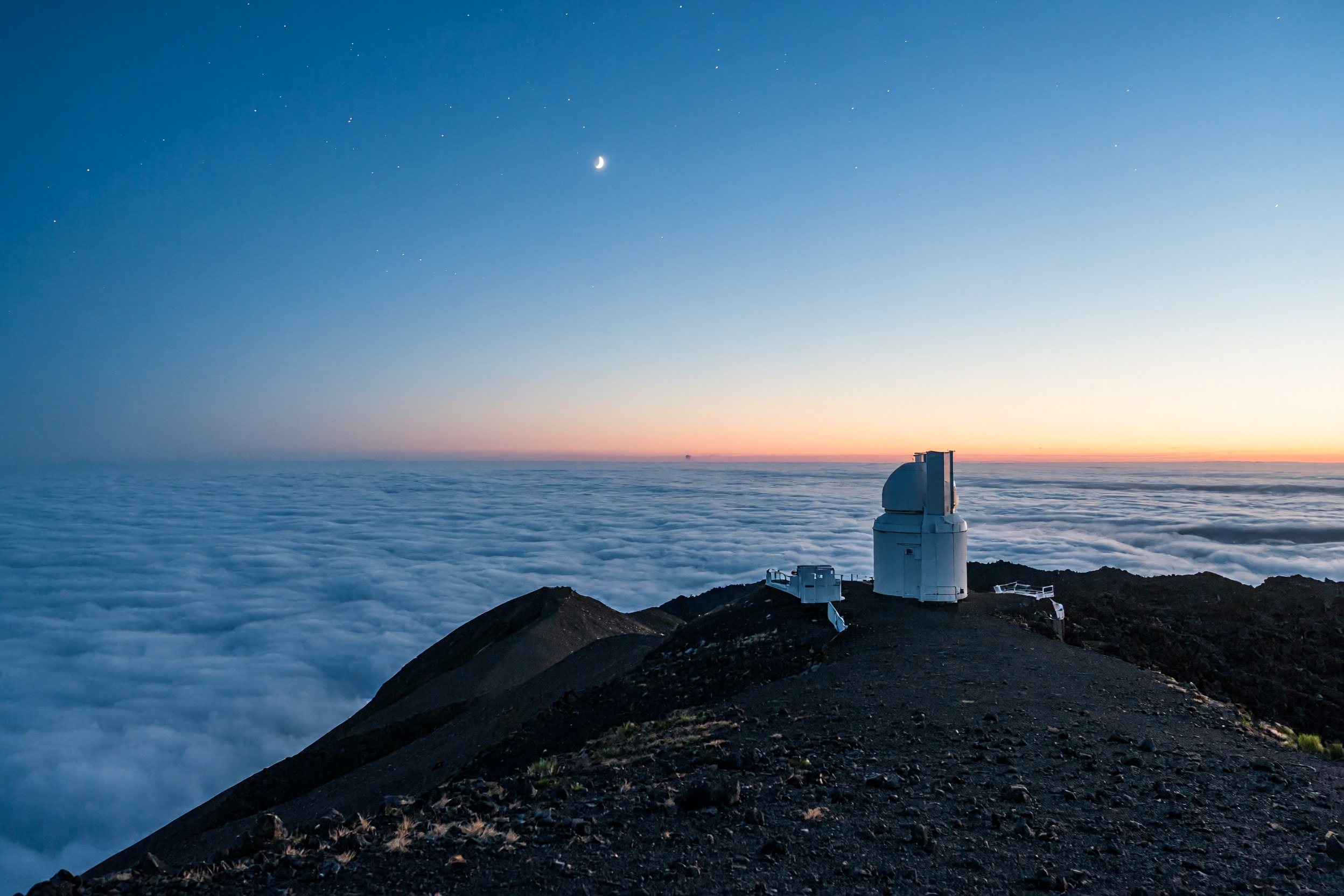
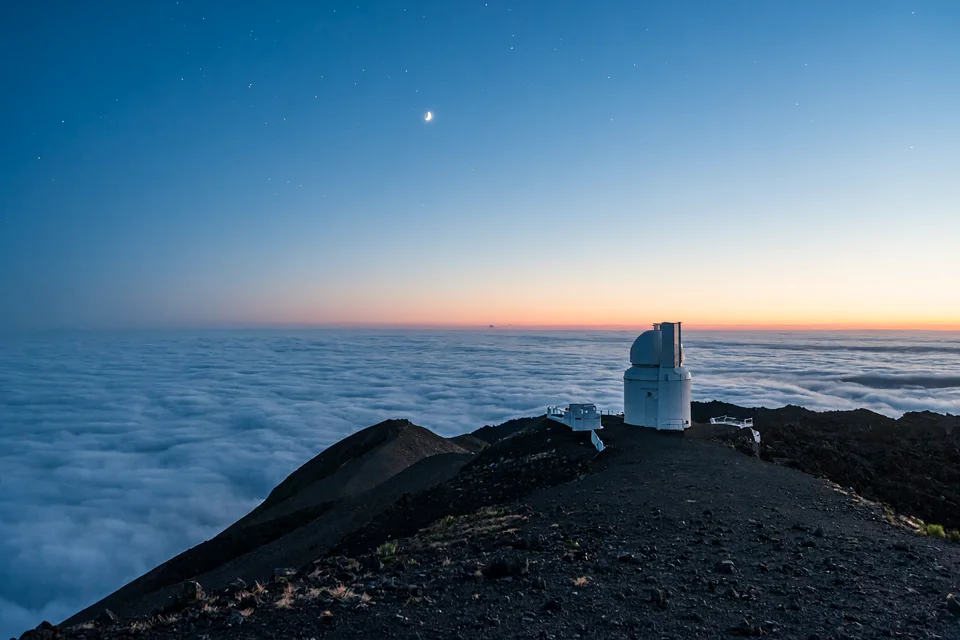
An observatory above the clouds
01Original model output · 3:2 · 2K · PNG · 2496 × 1664
Full prompt
Cinematic landscape photograph of a tiny white observatory on a dark volcanic ridge above a sea of clouds at blue hour. A pale coral horizon, a crescent moon and subtle stars. Wide composition with the observatory on the right third, realistic atmospheric depth and fine rock texture, no text, no people.
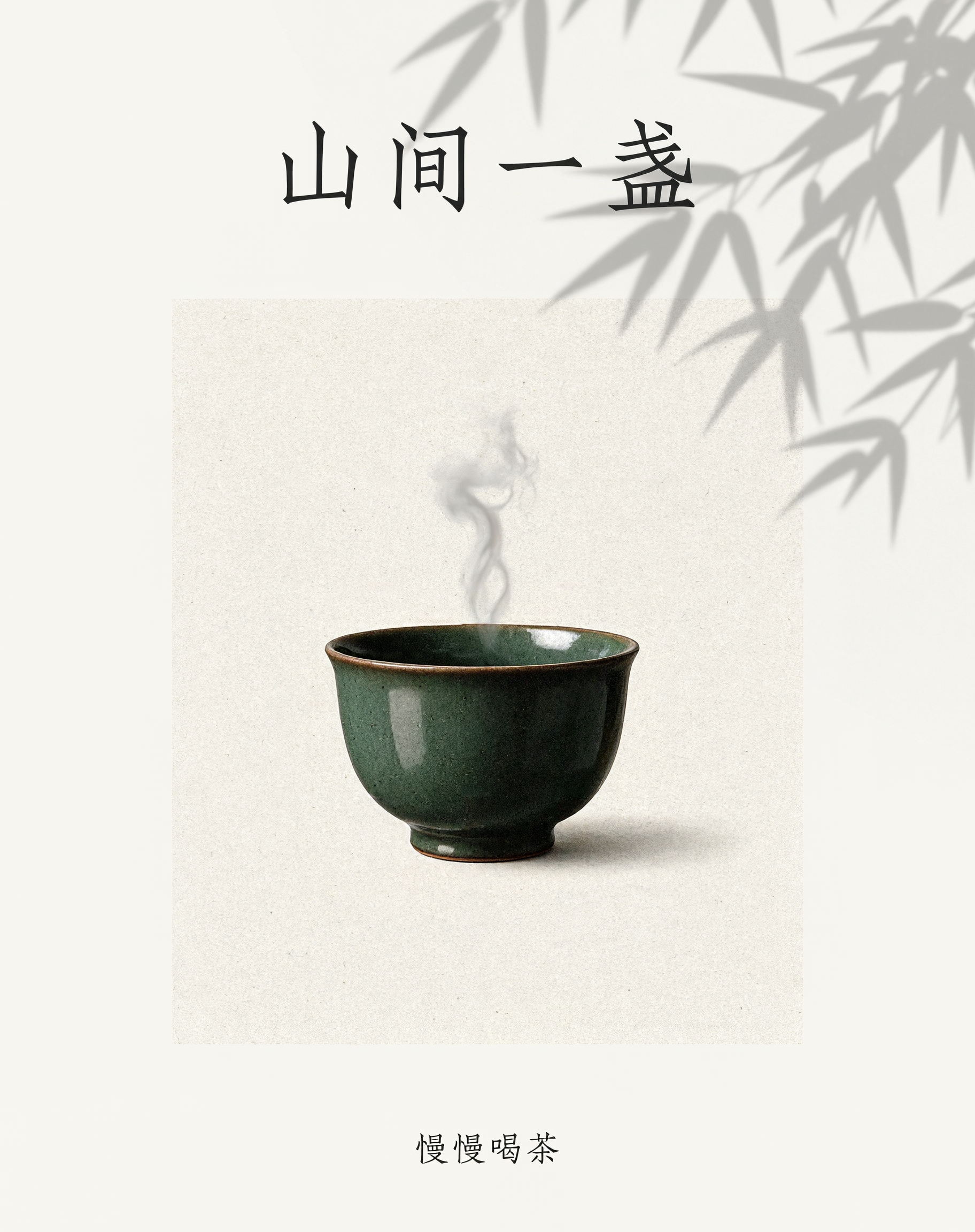
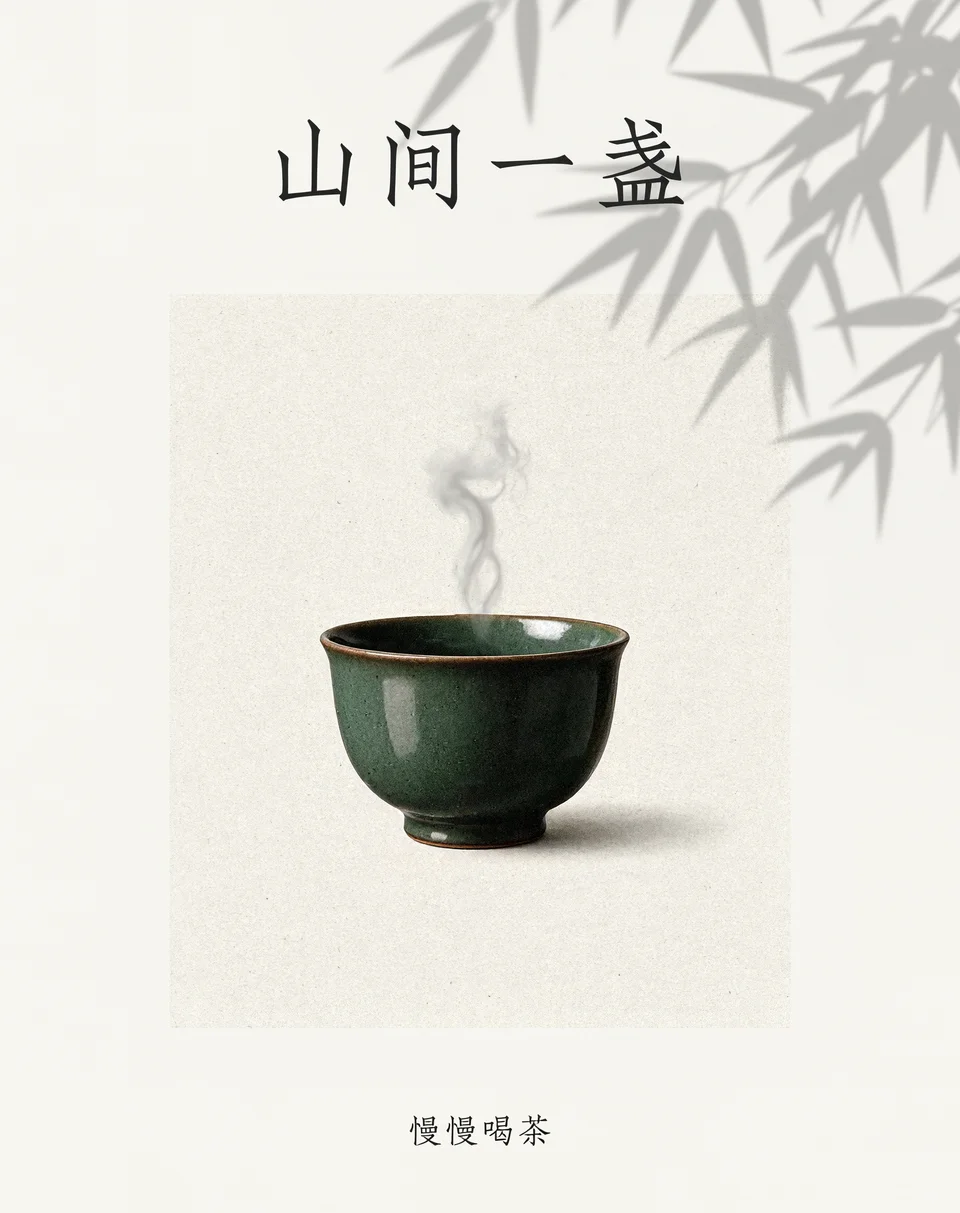
A quiet tea poster
02Original model output · 4:5 · 2K · PNG · 1824 × 2304
Full prompt
设计一张现代茶馆海报:奶油白纸张背景,中央是一只墨绿色陶瓷茶杯与一缕蒸汽,右上方有柔和的竹叶投影。顶部只写清晰的大标题「山间一盏」,底部小字只写「慢慢喝茶」。排版疏朗,东方极简风格,细腻纸张质感,不要其他文字。
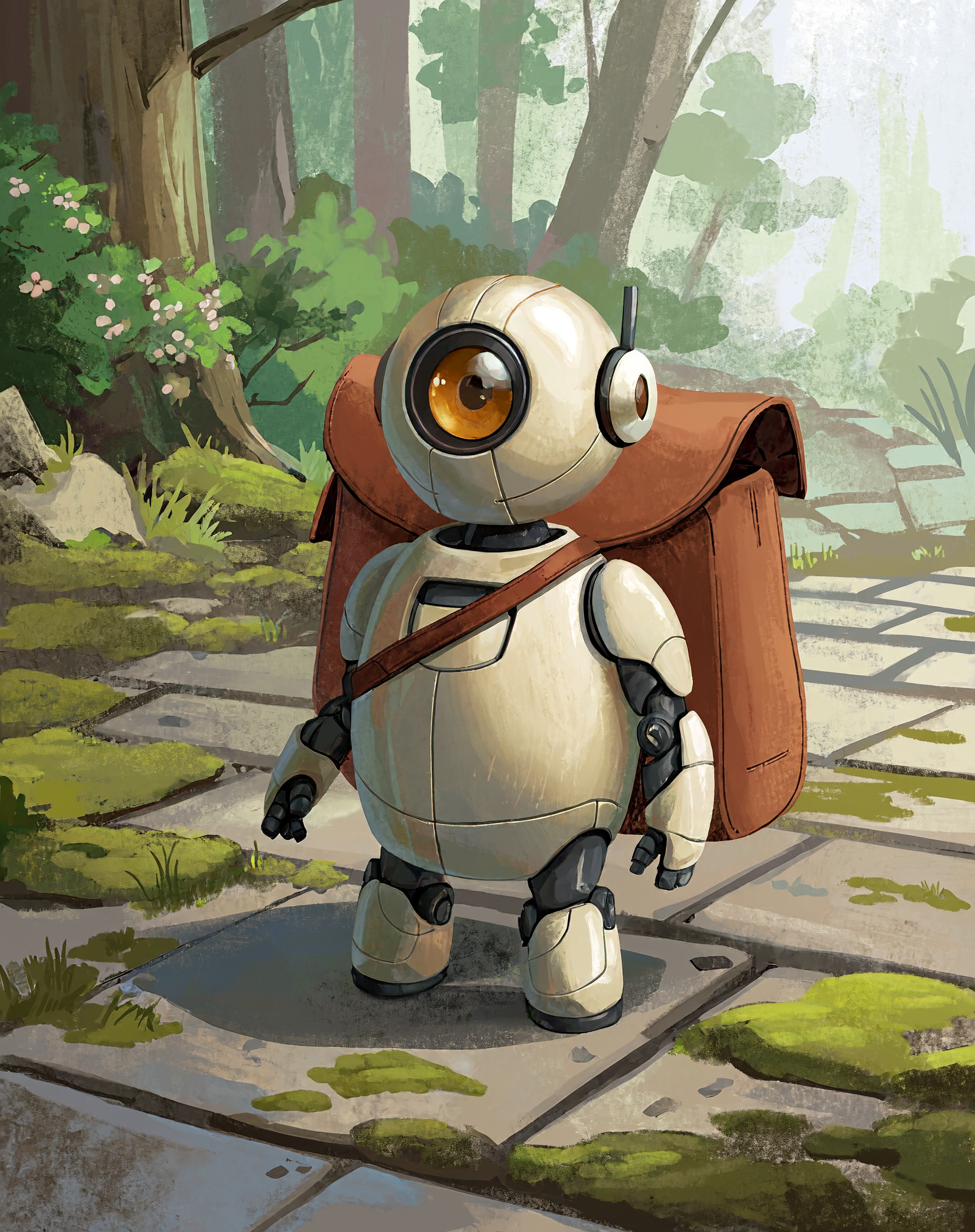
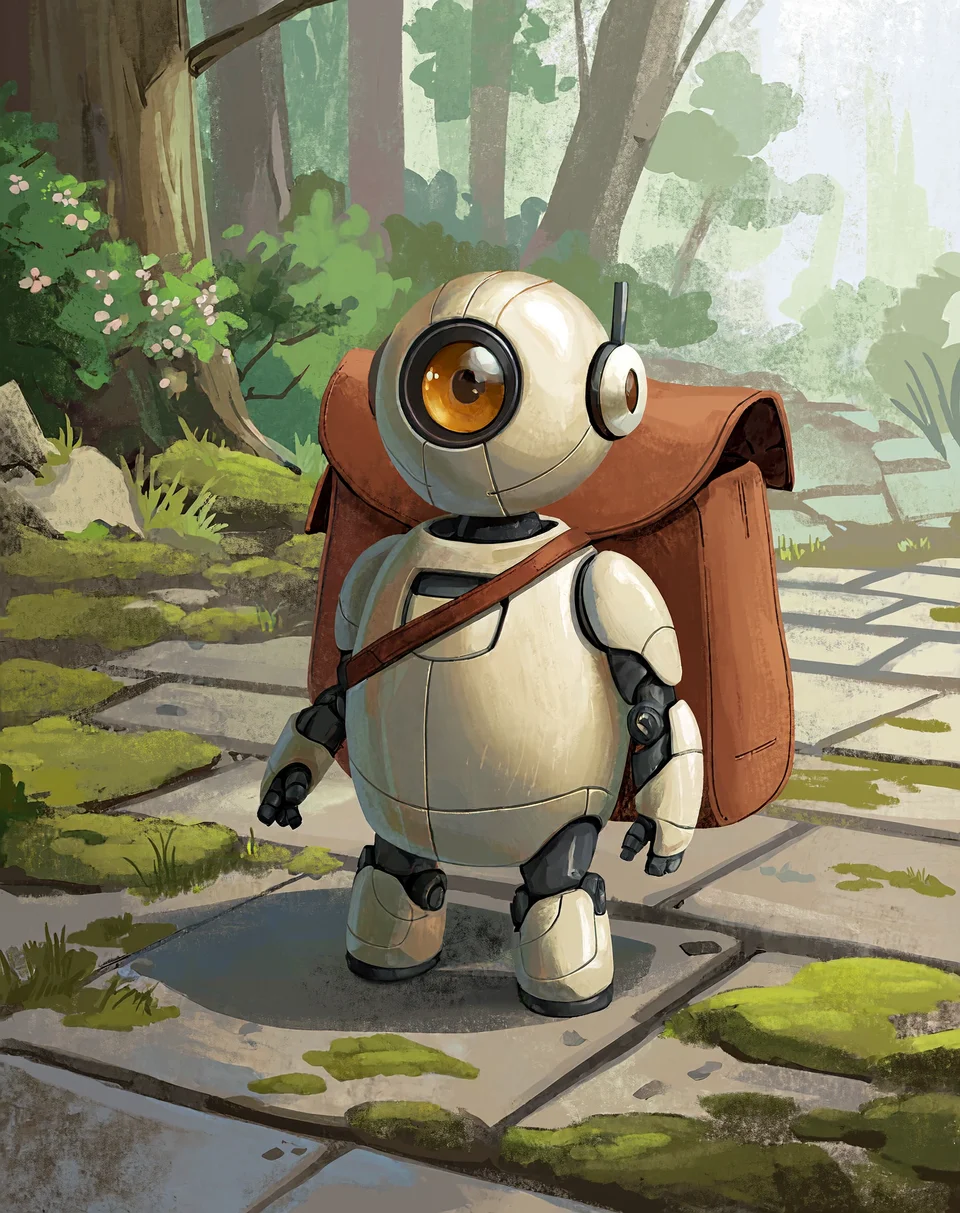
A forest courier
03Original model output · 4:5 · 2K · PNG · 1824 × 2304
Full prompt
Character concept art of a small friendly courier robot with a rounded ivory shell, a single circular amber eye and an oversized terracotta canvas satchel. Full body standing on a quiet mossy stone path, soft forest light, hand-painted storybook atmosphere, coherent mechanical joints, whimsical but grounded, no text.
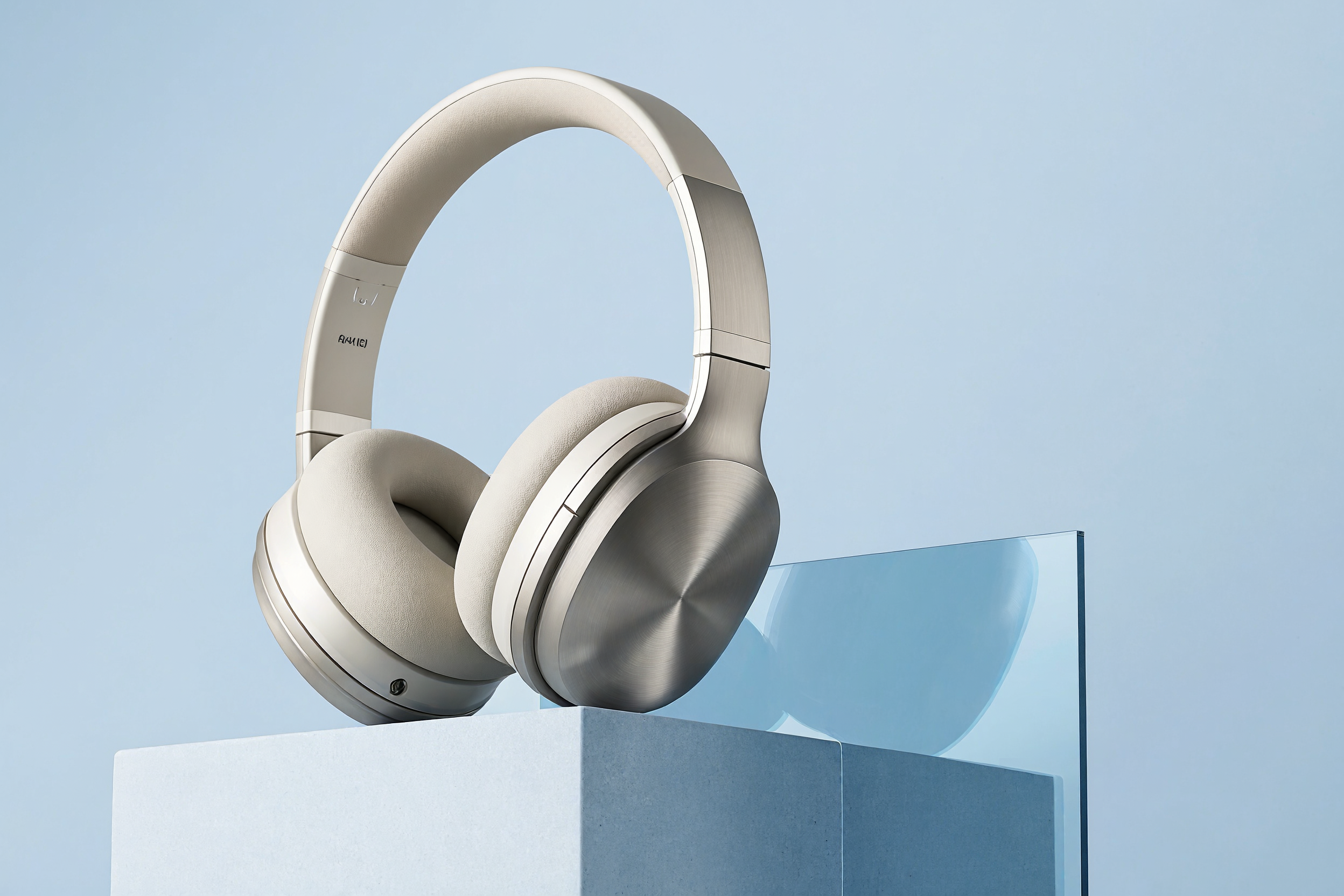
A clean product composition
04Original model output · 3:2 · 2K · PNG · 2496 × 1664
Full prompt
High-end studio photograph of a pair of ivory over-ear headphones resting on a stepped pale blue plinth. One translucent blue acrylic sheet creates a soft reflection. Powder-blue background, broad diffused side light, precise brushed metal and fabric textures, minimal product campaign composition, no logos, no text.
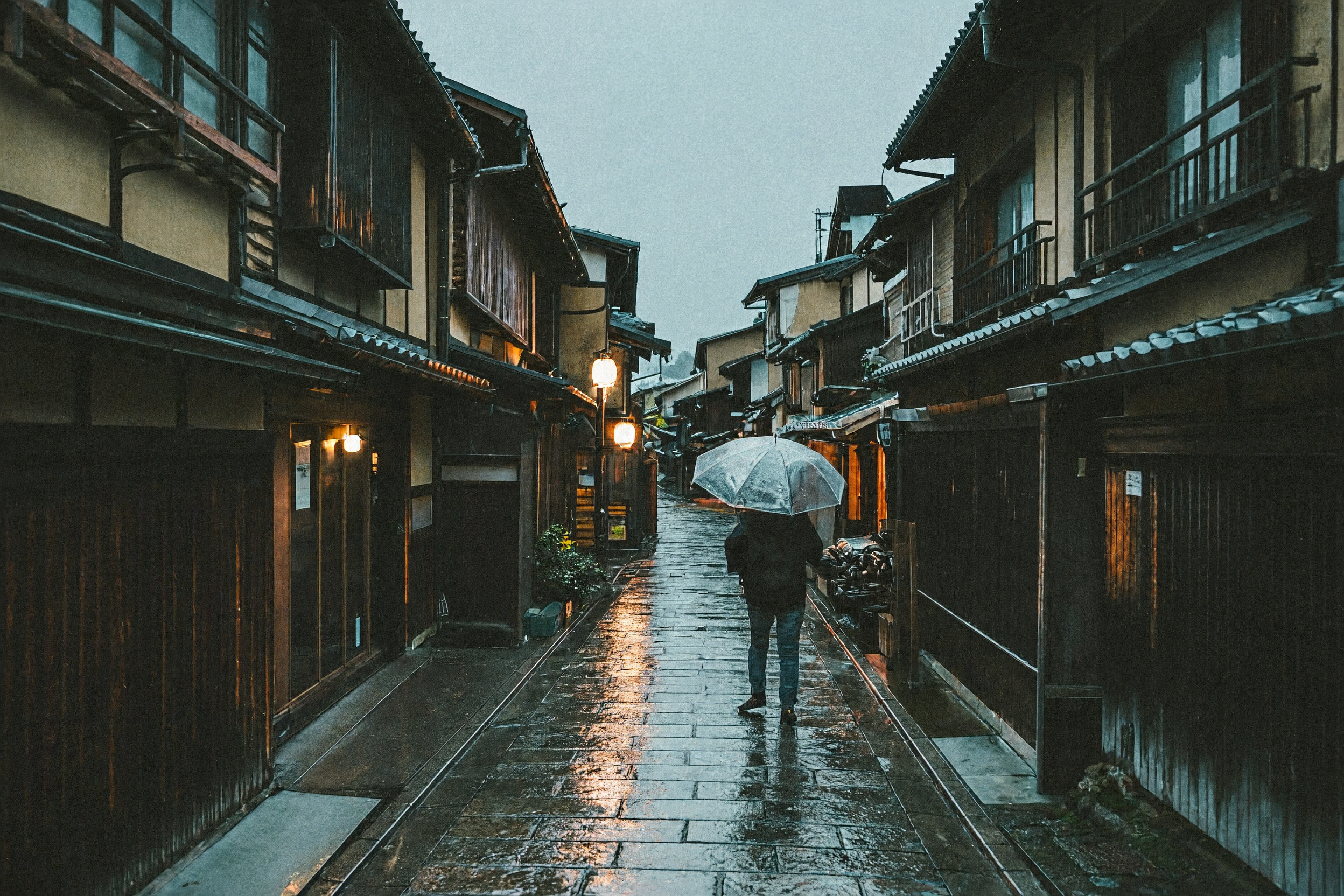
After the rain in Kyoto
05Original model output · 3:2 · 2K · PNG · 2496 × 1664
Full prompt
A cinematic street photograph of a quiet Kyoto alley after rain at dusk, a person with a translucent umbrella walking away, warm lantern light reflecting on wet stone, dark timber shop fronts, muted teal and amber colors, natural film grain, realistic perspective, no readable signs or added text.
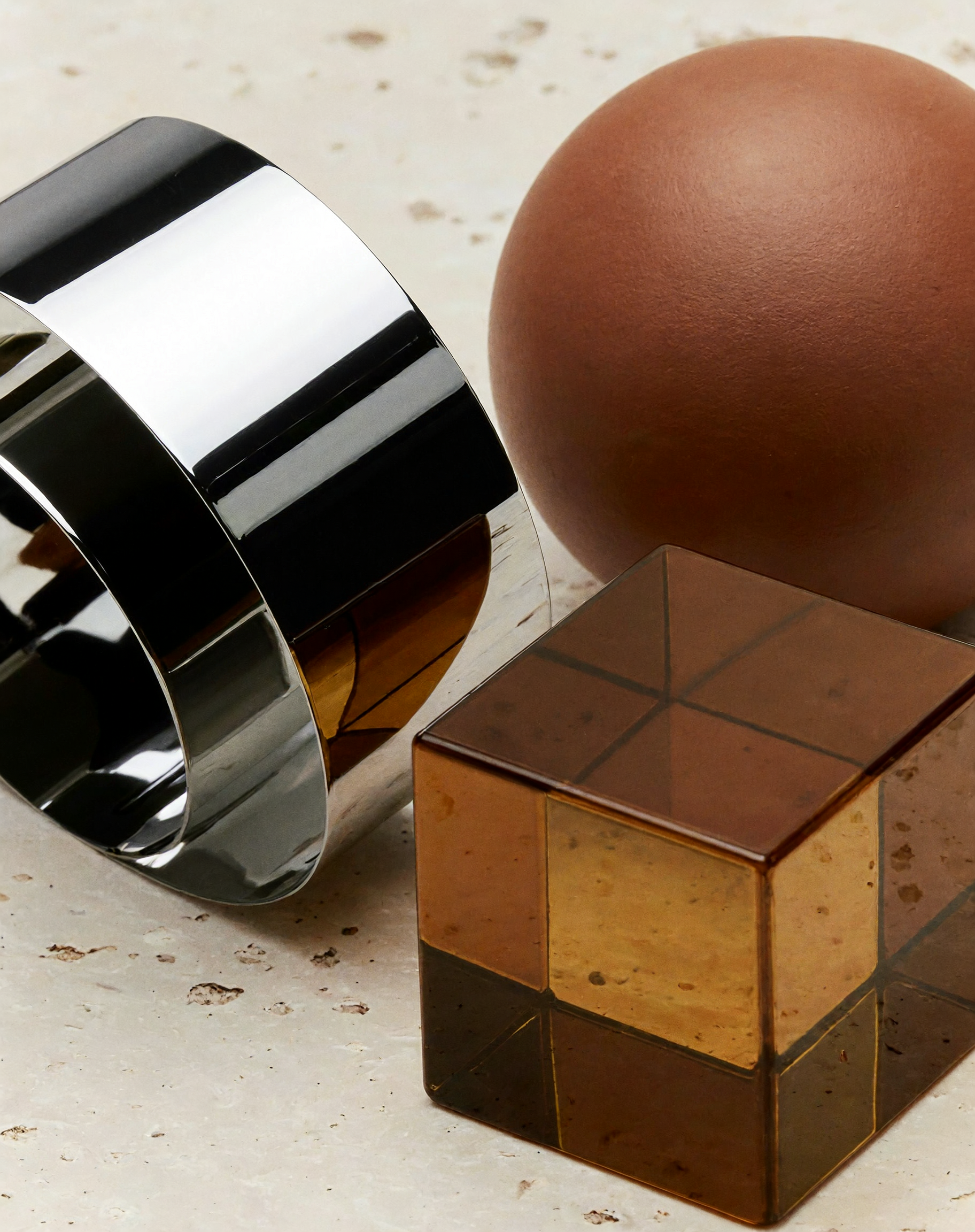
Chrome, clay & amber
06Original model output · 4:5 · 2K · PNG · 1824 × 2304
Full prompt
Macro still life of a folded chrome ribbon beside a matte terracotta sphere and a translucent amber glass cube on pale limestone. Close-up abstract composition, dramatic softbox reflections, fine surface textures, warm neutral palette, design magazine photography, no text.
From an idea to an image
- 01
Can MiniMax Image H3 combine multiple references?
Yes. Supply up to 16 reference images and tell the model how to use each one. A useful brief separates subject, pose, background and style. For a recurring character, reuse the same clear references and check facial features, clothing and proportions after every generation.
- 02
Can MiniMax Image H3 generate 4K images?
Yes. Choose 4K for a larger output, or start at the default 2K while exploring ideas. These tiers describe pixel area, so dimensions vary with aspect ratio. At 1:1, 4K targets 4096 × 4096 pixels; custom sizes can reach 20 million pixels within the supported limits.
- 03
Does MiniMax Image H3 understand Chinese prompts?
Yes. Write the scene and editing instructions in Chinese or English. For text-heavy work, specify the exact short phrase and its position, then proofread the output. Prompt enhancement can expand a brief; it stays enabled for reference editing and automatic aspect ratios.
Compare models
MiniMax Image H3 vs Seedream 5.5
Both are available on YourArt. Choose by the output you need and the references you already have; these are capability differences, not a quality ranking.
| Specification | MiniMax Image H3 | Seedream 5.5 |
|---|---|---|
| Resolution tiers | 1K / 2K / 4K | 1K / 1.5K / 2K |
| Reference images | Up to 16 | Up to 10 |
| File formats | JPEG / PNG / WebP | PNG / JPEG |
| Transparent background | Not supported | Transparent PNG available |
| Text in images | Chinese and English prompts; proofread output | Chinese and English prompts; proofread output |
| Average generation time | No controlled comparison published here | No controlled comparison published here |
| Price per image | Estimated 2.228 credits / image2K · ≈ $0.056 | Estimated 2.500 credits / image2K · ≈ $0.063 |
MiniMax Image H3 vs Image-01
H3 expands beyond the earlier Image-01 workflow. The legacy column follows MiniMax’s Image-01 documentation; Image-01 is not a selectable model on this page.
| Specification | MiniMax Image H3 on YourArt | Image-01 documented API |
|---|---|---|
| Reference workflow | General image editing with up to 16 references | Subject reference for character generation |
| Output sizing | 1K / 2K / 4K or custom pixel sizes | Aspect ratios or width and height controls |
| Prompt enhancement | Optional for fixed-ratio text-to-image; on for edits | Optional prompt optimization |
| YourArt price | Estimated 2.228 credits / image2K · ≈ $0.056 | Not offered on YourArt |
How to use MiniMax Image H3 online
- 1
Write the scene or the change
Name the subject, framing, environment and light. For an edit, describe the change and the details you want to keep. Chinese and English prompts both work.
- 2
Set the output and references
Start with 2K, select your aspect ratio and file format, and add references if needed. Review the estimate: references, prompt enhancement and 4K output affect the total.
- 3
Continue on the canvas
Sign in to create a project with your prompt and settings. Generate the image, inspect the result and keep related variations together. Each new generation is a separate paid request.
How much does MiniMax Image H3 cost?
H3 has an estimated cost for each request, not a fixed price for every image. 1K and 2K share the same image-output token tier; 4K uses roughly four times as many output tokens. Your prompt and references also contribute to the total.
1K
Estimated
2.228
credits / image≈ $0.056
2K
Estimated
2.228
credits / image≈ $0.056
4K
Estimated
6.461
credits / image≈ $0.162
1:1 · PNG · 1 image · no reference images · Prompt enhancement on
Prompt used for these estimates
A ceramic cup on a wooden table, soft daylight, no text.
USD equivalent uses 40 credits per $1 for international accounts; domestic credits use ¥0.10 per credit and a reference rate of ¥6.75 per $1. Recharge package rates may differ.
These estimates use the exact prompt shown below and no references. Final billing follows actual usage. Prompt enhancement adds text input; reference images add image input. Review the live estimate after choosing your settings. No subscription is required.
Pricing ↗MiniMax Image H3 questions, answered
Try this model ↗Is MiniMax Image H3 free?
Generation on YourArt uses credits and does not require a subscription. Any promotional credits depend on your account. Check the estimate and your balance before generating.
Who makes MiniMax Image H3?
MiniMax develops the model. MiniMax Image H3 and MiniMax H3 Image refer to the image model on this page. It is separate from the MiniMax H3 video model.
How does MiniMax Image H3 compare with Seedream 5.5?
On YourArt, H3 offers 4K, up to 16 reference images and WebP output. Seedream 5.5 offers up to 2K, 10 references and transparent PNG. Compare images made from your own brief when deciding on visual quality.
Can MiniMax Image H3 keep a character consistent?
References can guide the same character across scenes. Reuse clear images, describe identity details and change only the elements you need. Consistency is not guaranteed; review each output before building a series.
Can I prompt MiniMax Image H3 in Chinese?
Yes. You can describe scenes and edits in Chinese or English. Short exact phrases are easier to review than dense paragraphs of text inside an image.
How much does each MiniMax Image H3 image cost?
The pricing section gives concrete estimates for one image at different resolutions. The final cost depends on actual prompt, reference-image and output usage. Changing references or prompt enhancement changes the estimate.
Does MiniMax Image H3 support transparent backgrounds?
No. PNG output does not automatically mean a transparent background. For native transparent PNG generation, choose a model that supports it, such as Seedream 5.5, or use a separate background-removal tool.
Why do 1K and 2K have similar MiniMax Image H3 prices?
The image-output token charge uses the same tier for 1K and 2K. The total also includes text and reference-image input, so compare requests with the same prompt and settings.
Is MiniMax Image H3 the same as the H3 video model?
No. This page generates still images and reference-guided image edits. MiniMax H3 video uses different controls and billing. Choose the video model in the workspace when you need motion.
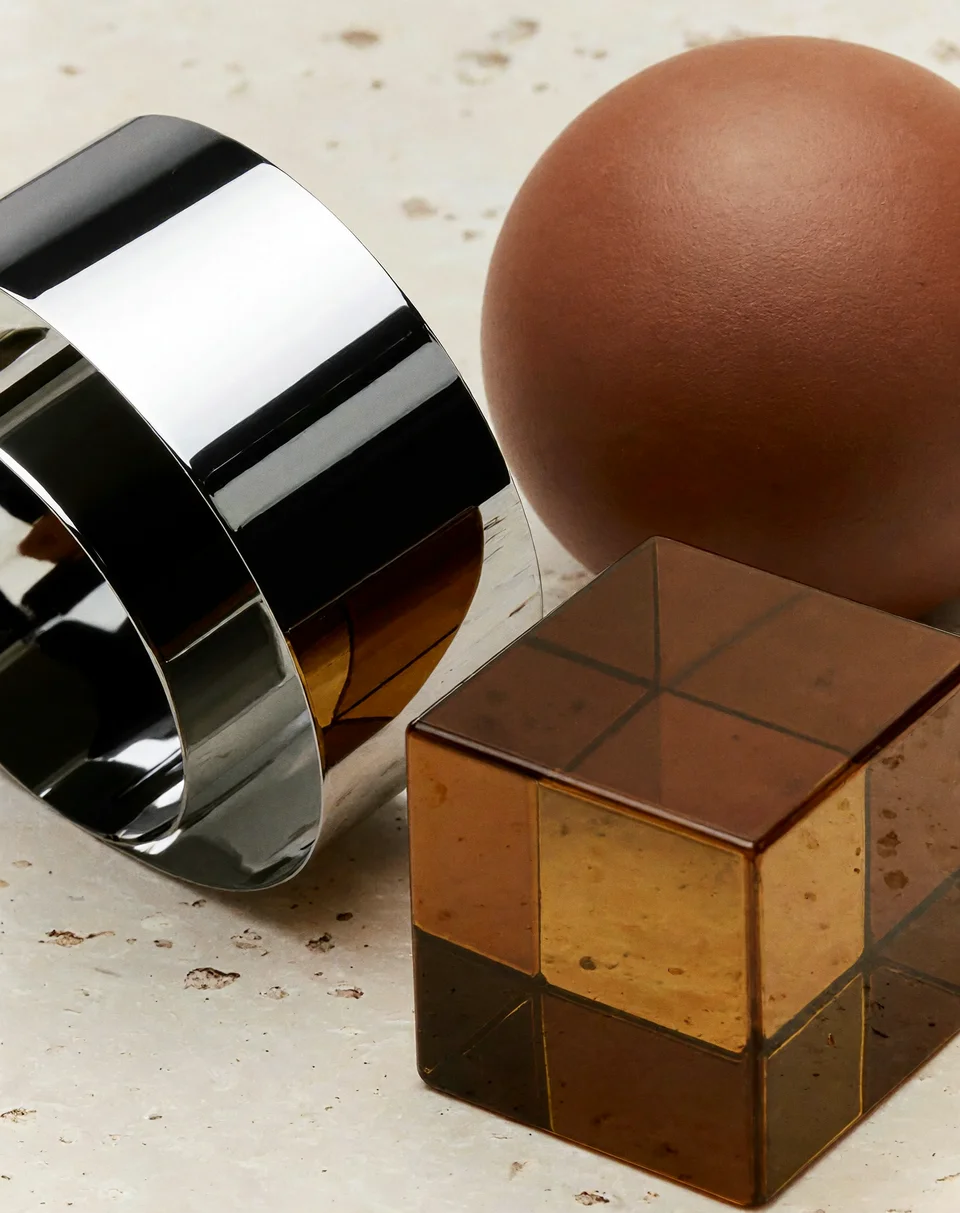
Bring your references into one new scene.
Start at 2K, try a clear brief, and build the next variation on your canvas.
Try this model ↗